
Link a supplier to a work or intervention
Attach a company to an intervention, a routine repair or a major repair, through the Supplier field.
- Audience
- Administrator (or assigned person, for an intervention)
- Screen
- Work record, edit mode
- Verified version
- App 1.0.0
Goal
Attach a company to a work (a logbook intervention, a routine repair or a major repair) to know who did it and keep the supplier's track record.
Audience
Administrator of the building. For a maintenance intervention, the assigned person can also choose the supplier.
Prerequisites
- The supplier exists in the directory.
Steps
-
Open the work's record (intervention, routine repair or major repair) and click "Edit".
-
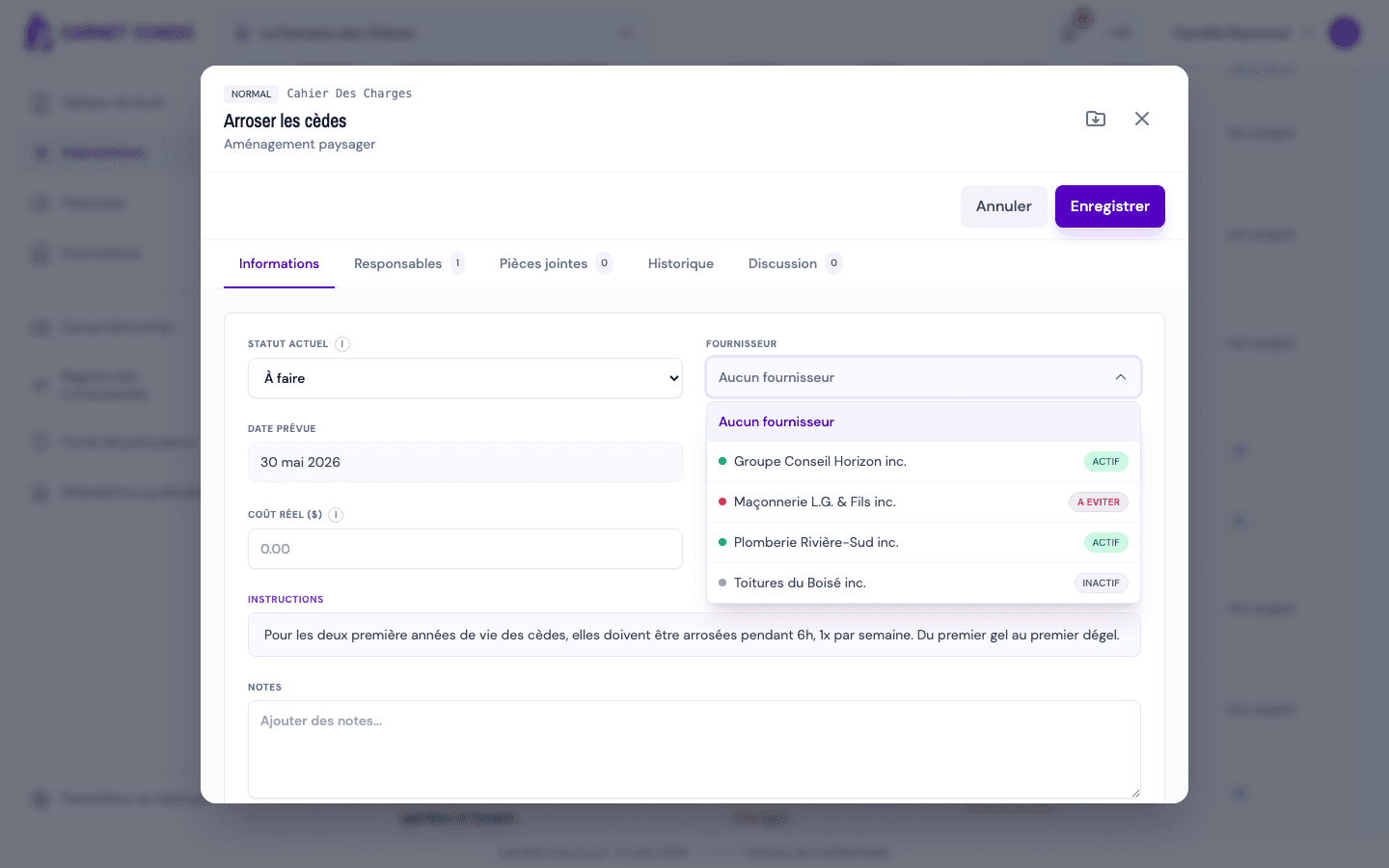
Open the "Supplier" field (default "No supplier"). The list shows each company with its status (Active, Avoid, Inactive). Choose the company.
-
Click "Save". The work now appears in the "Interventions" tab of the supplier's record.
Linked from the work, not from the supplier
You link a supplier from the work (its "Supplier" field), not from the Suppliers page; that page only displays the linked works.
Tips and common mistakes
- Remove the supplier: choose "No supplier" and save.
- "Avoid" supplier: it can still be selected, but its status shows in red as a warning.
- Find the track record: once linked, find all of a supplier's works through its linked interventions.
See also
See a supplier's linked interventions
From a supplier's record, view the interventions, routine repairs and major repairs linked to it.
Add an inspection report to a component
Upload inspection reports specific to a component (professional report, study, expert assessment), with the inspection date and a note per file.