
Edit a component (description, installation, lifespan, cost, image)
From a component's record, correct its description, installation year, theoretical lifespan, replacement cost and image.
- Audience
- Administrator
- Screen
- Component record, Overview tab
- Verified version
- App 1.0.0
Goal
Complete or correct a component's information: description, installation year, theoretical lifespan, replacement cost and image. These figures are used to calculate the planned end of life and the condition.
Audience
Administrator of the building.
Prerequisites
- Open the component's record from the register.
Steps
-
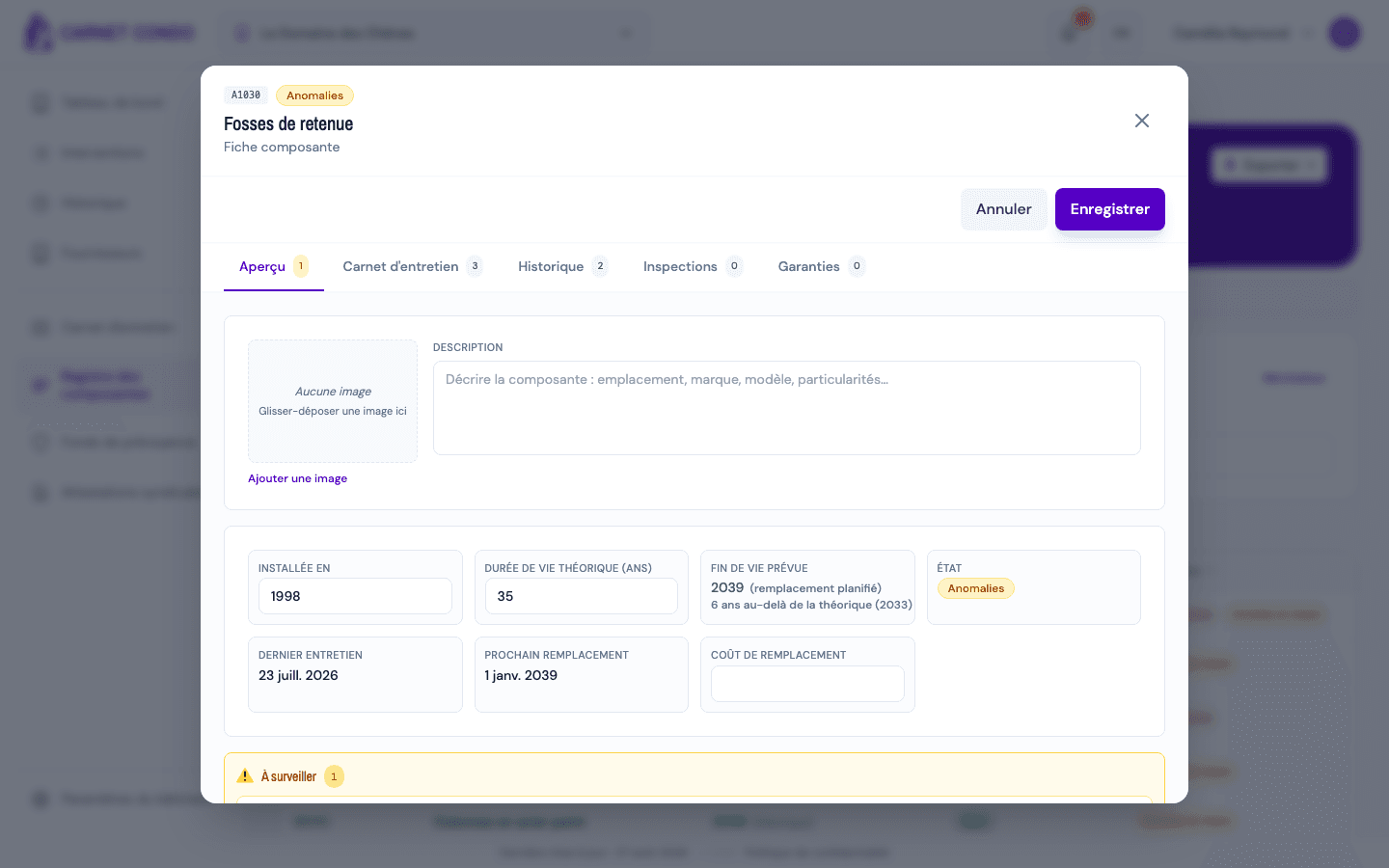
In the record, "Overview" tab, click "Edit" at the top right.
-
The fields become editable: Description, Installed in, Theoretical lifespan (yrs) and Replacement cost.
-
Click "Save". The message "Component updated." appears; the planned end of life and the condition are recalculated. "Cancel" discards the changes.
Image: click "Add an image" (or drag and drop an image into the frame). An existing image can be replaced or removed. The image is saved right away, without going through "Edit".
The end of life is not entered directly
The planned end of life is calculated: installation year + theoretical lifespan, or the date of a planned replacement if there is one. To change it, correct the installation year or the lifespan, or plan a major repair or replacement.
Tips and common mistakes
- Accepted ranges: installation year between 1900 and 2100; lifespan between 1 and 200 years; replacement cost in dollars, 0 or more. An out-of-range value is refused with a message.
- The condition cannot be edited: it comes from works and reports.
- The name and Uniformat code cannot be edited in the record: they come from the tasks and works linked to the component.