
Plan a major repair or replacement
Create a major repair or a replacement planned over the building's life cycle, tied to a component, with its estimated cost and funding source.
- Audience
- Administrator
- Screen
- Maintenance logbook → Major repairs & replacements
- Verified version
- App 1.0.0
Goal
Plan a major repair or a replacement (roof membrane, windows, balconies…) over the building's life cycle, tied to a component, with its estimated cost and funding source. This work feeds the reserve fund and the certificate.
Audience
Administrator of the building. The maintenance logbook is reserved for administrators.
Prerequisites
- Be an administrator.
- The component exists, or you enter its Uniformat code and name: it is then created at the same time.
Steps
-
In the left menu, open "Maintenance logbook", then the "Major repairs & replacements" sub-tab.
-
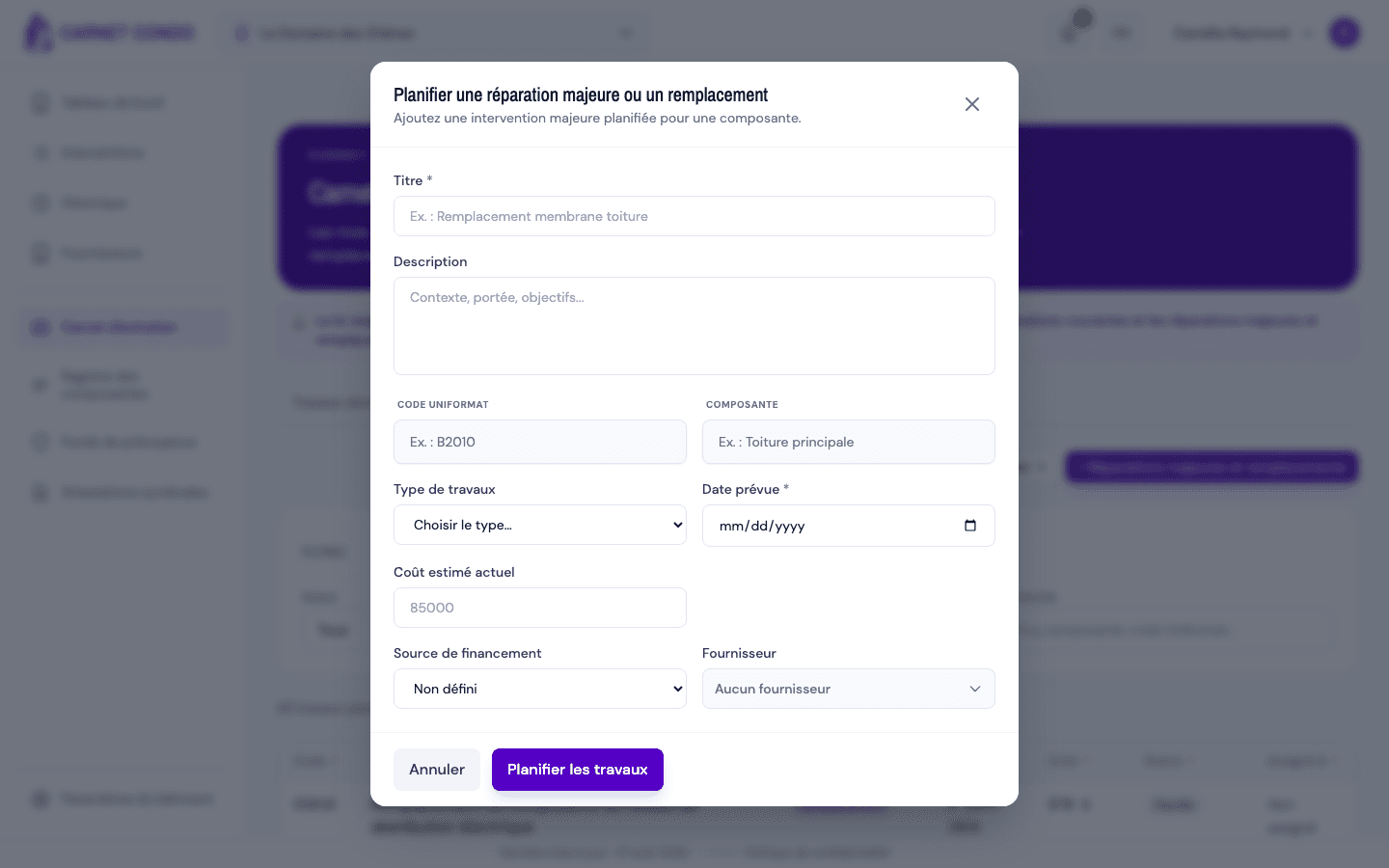
At the top right of the list, click "+ Major repairs & replacements". The "Plan a major repair or replacement" window opens.
-
Fill in:
- "Title" (required);
- "Description";
- "Uniformat code" and "Component" (required): choose an existing component or enter a new one;
- "Work type" (required): Major repair or Replacement;
- "Planned date" (required);
- "Current estimated cost";
- "Funding source": Undefined (default), Reserve fund, Operating fund, Loan or Mixed;
- "Supplier".
-
Click "Plan the work". The message "The work has been created." appears and the record opens with the Planned status.
Current estimated cost
Enter the cost in today's dollars. It is used to plan the budget and the reserve fund.
Tips and common mistakes
- Required fields: without a title ("Title is required."), a type ("Choose the type: major repair or replacement."), a planned date or a component, creation is blocked.
- Empty list: as long as nothing is planned, the list shows an empty state with the same create button.
- Suspended subscription: in read-only mode, the create button is disabled.