
Major repairs & replacements
Delete a major repair
Permanently delete a major repair and all its attached data (checklist, photos, documents, comments).
- Audience
- Administrator only
- Screen
- Major repair record
- Verified version
- App 1.0.0
Goal
Permanently delete a major repair, for example a duplicate or a planning mistake.
Audience
Administrator only.
Prerequisites
- Be an administrator; open the major repair to delete.
Steps
-
Open the major repair's record. At the top, click the red "Delete" button.
-
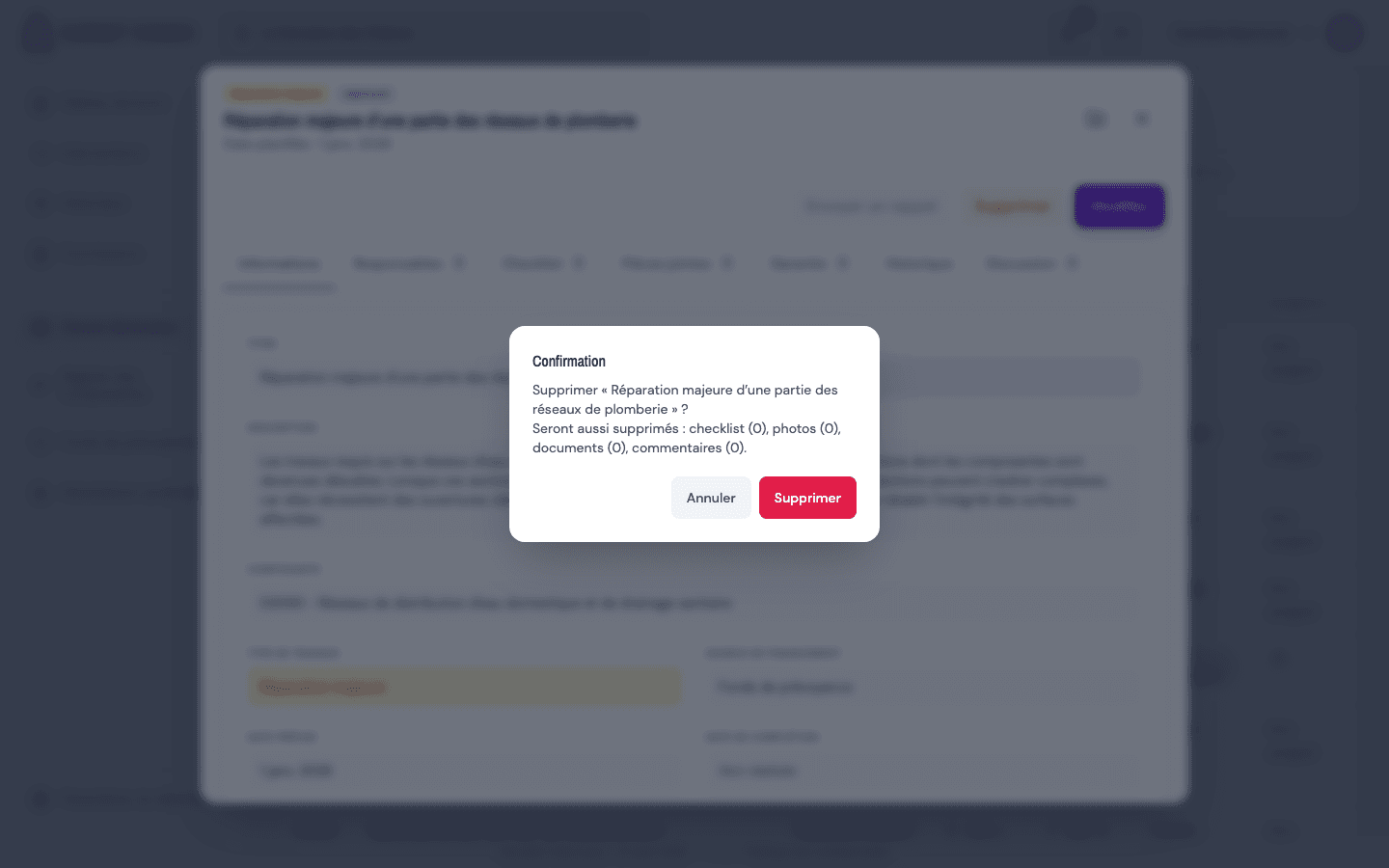
A confirmation appears: "Delete “(title)”?", followed by what will also be deleted: checklist, photos, documents and comments, with their count.
-
Click "Delete" to confirm, or "Cancel" to keep the repair. After confirming, you return to the list.
Permanent deletion
Deletion is immediate and irreversible: there is no trash. For an abandoned or delayed project, prefer the Postponed status (or Completed once done) to keep the history and the budget trail.
Tips and common mistakes
- Cascade: deleting a repair also removes its checklist, photos, documents and comments. The count in the confirmation lets you check first.
- Keep the history: for traceability and the reserve fund, postponing or completing is better than deleting.