
Change the status / force a completed status
Move a major repair through its life cycle, postpone it, or correct a Completed status set by mistake with a logged reason.
- Audience
- Administrator or assigned person
- Screen
- Record → Information (edit) → Status
- Verified version
- App 1.0.0
Goal
Move a major repair through its life cycle, postpone it, or correct a Completed status set by mistake.
Audience
Administrator or assigned person. Only an administrator can correct a Completed status.
Prerequisites
Steps
-
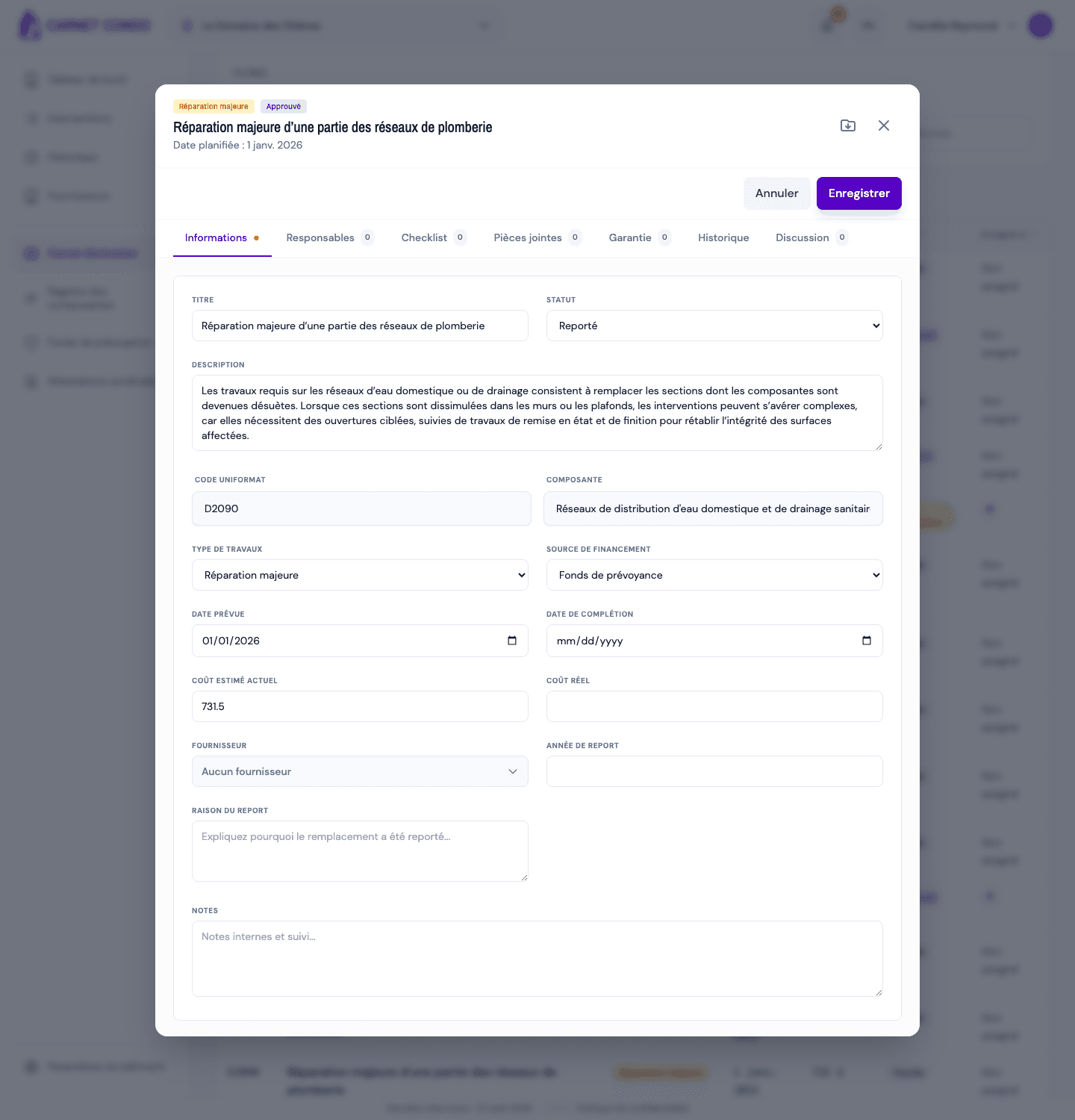
In edit mode, open the "Status" menu. The statuses are: Planned, Preparing, Approved, In progress, Completed, Postponed. Until the repair is completed, you can move freely between them.
-
To postpone, choose Postponed: the "Postponed to year" and "Postpone reason" fields appear. Fill them in to keep track of the decision.
-
To complete, choose Completed: the "Completion note" field appears. Also fill in the "Completion date" and the "Actual cost".
-
Click "Save".
Correct a Completed status (administrator)
Completed is locked: the repair no longer changes status normally. To fix a mistake:
-
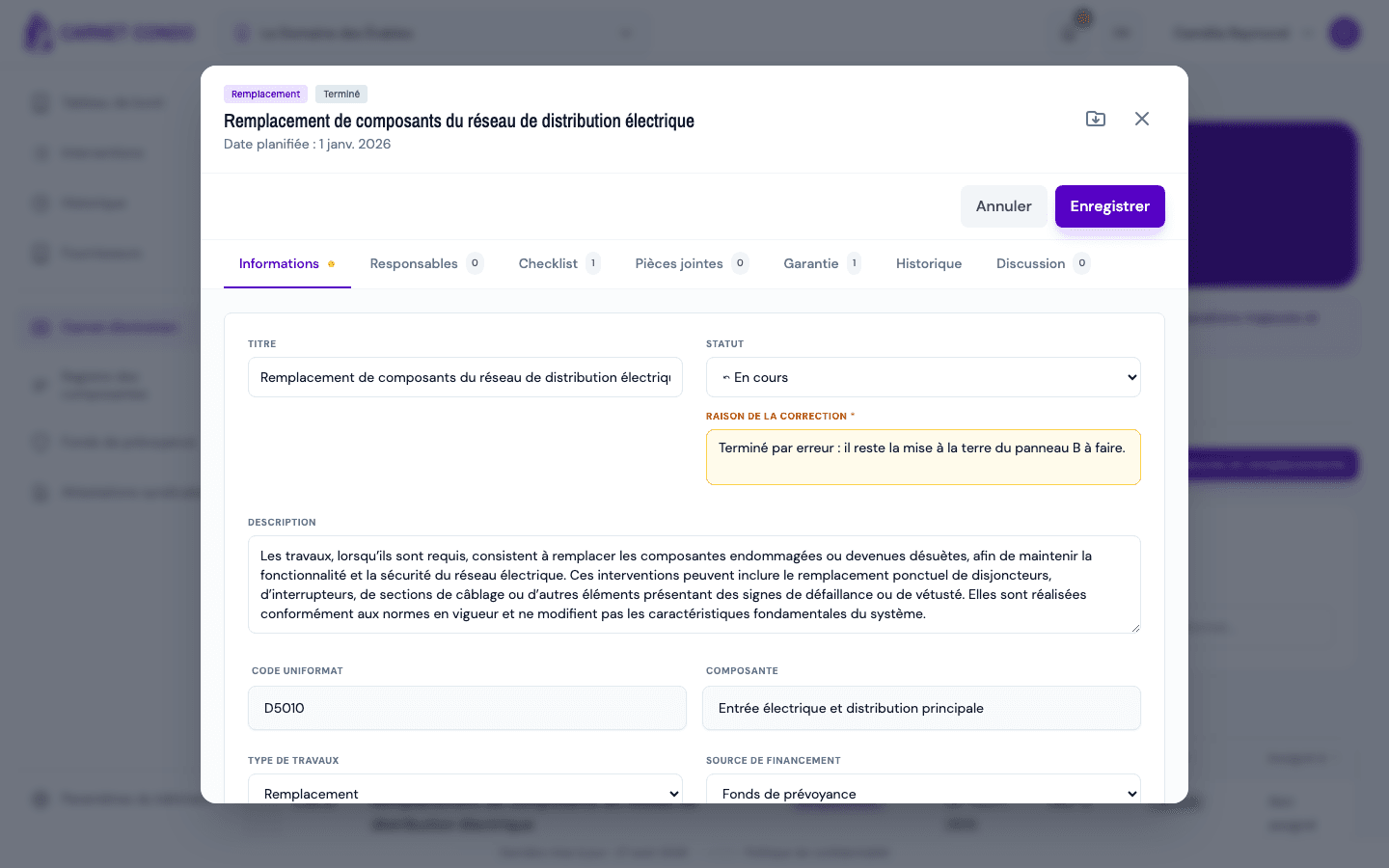
Open the completed repair, click "Edit", then open the "Status" menu. The other statuses are preceded by an arrow ⤺ (visible to administrators only).
-
Choose the correct status: a "Reason for the correction" field (required) appears, with the hint "Why correct this status?".
-
Enter the reason and click "Save". The message "Status corrected and logged" appears.
Rewritten AND logged
The correction changes the status, but the trace is kept in the "History" tab under "Status corrected (admin)": old status, new status, author, date and reason.
Tips and common mistakes
- Reason required: without a reason, the correction is refused.
- No ⤺ arrow: you are not an administrator, or the repair is not Completed.
- History: every status change is traced in the "History" tab.