
View the component register (condition, end of life, to watch)
See every building component with its planned end of life, its condition and what needs watching.
- Audience
- Administrator
- Screen
- Component register
- Verified version
- App 1.0.0
Goal
Get an overview of the building's components (roof, windows, balconies…): their planned end of life, their condition and what is to watch (non-compliances, overdue work, open repairs).
Audience
Administrator of the building. The component register is reserved for administrators.
Prerequisites
- Components exist: they appear in the register as soon as you create maintenance tasks or works linked to them. There is no button to add a component directly to the register.
Steps
-
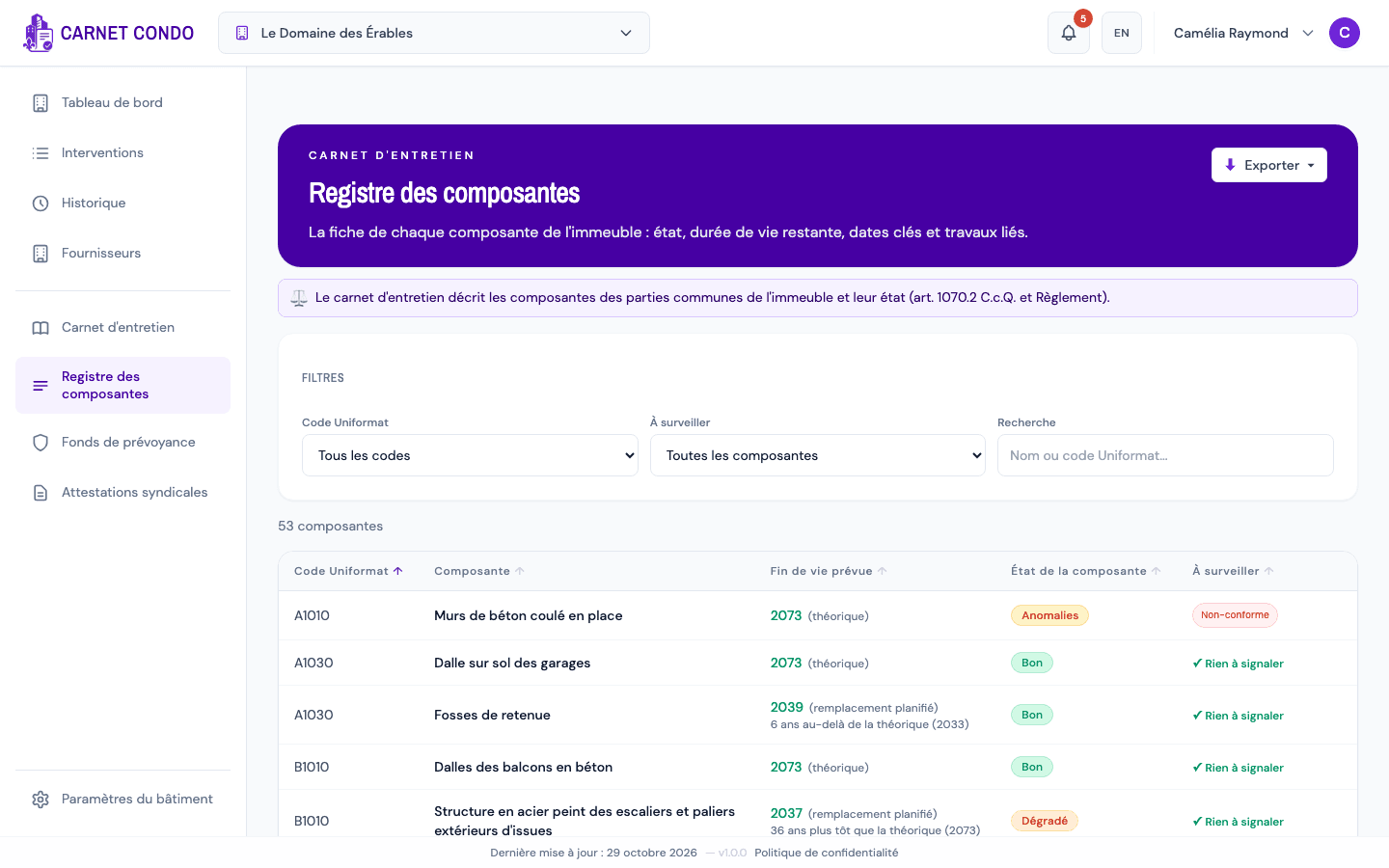
Open "Component register" in the left menu (below "Maintenance logbook").
-
For each component, the table shows:
- Uniformat code and Component (the name);
- Planned end of life: the year, with its source (planned replacement or theoretical) and the gap with the theoretical end of life (e.g. "6 years beyond theoretical");
- Component condition: Good, Issues, Deteriorated or Failing;
- To watch: chips such as "Non-compliant", "Overdue maintenance", "Open routine repair", "Overdue major repair", "Overdue replacement", or "✓ Nothing to report".
-
Click a row to open the component's record.
How is the condition determined?
The condition is calculated automatically from works and reports; it is not entered by hand. Good: end of life far off, no issues observed · Issues: non-compliant maintenance or routine repair in progress · Deteriorated: 15% or less of the theoretical lifespan remains, or a major repair is due · Failing: expected end of life reached or exceeded.
Tips and common mistakes
- End of life "Unknown": the installation year or the theoretical lifespan is missing. Fill them in from the record (see Edit a component).
- Sort: click a column header to sort (by code, name, end of life, condition or "To watch").
- Plan a replacement: for a component at end of life, create a major repair or replacement; the planned end of life then follows the planned date.
See also
Use the Discussion of a maintenance task
Write, edit and delete comments in the Discussion tab of a maintenance task's record; the default assignees are notified.
View a component's record
Open a component's record: key figures, items to watch, logbook works, history, inspection reports and warranties.