
Assign or self-assign
Choose the people responsible for a routine repair, or assign yourself, from the Assignees tab.
- Audience
- Administrator (or member to self-assign)
- Screen
- Routine repair record, Assignees tab
- Verified version
- App 1.0.0
Goal
Choose the person or people responsible for following up a routine repair, or assign yourself.
Audience
Administrator (assigns any member) or member (assigns or removes themself).
Prerequisites
- A routine repair exists.
Steps
-
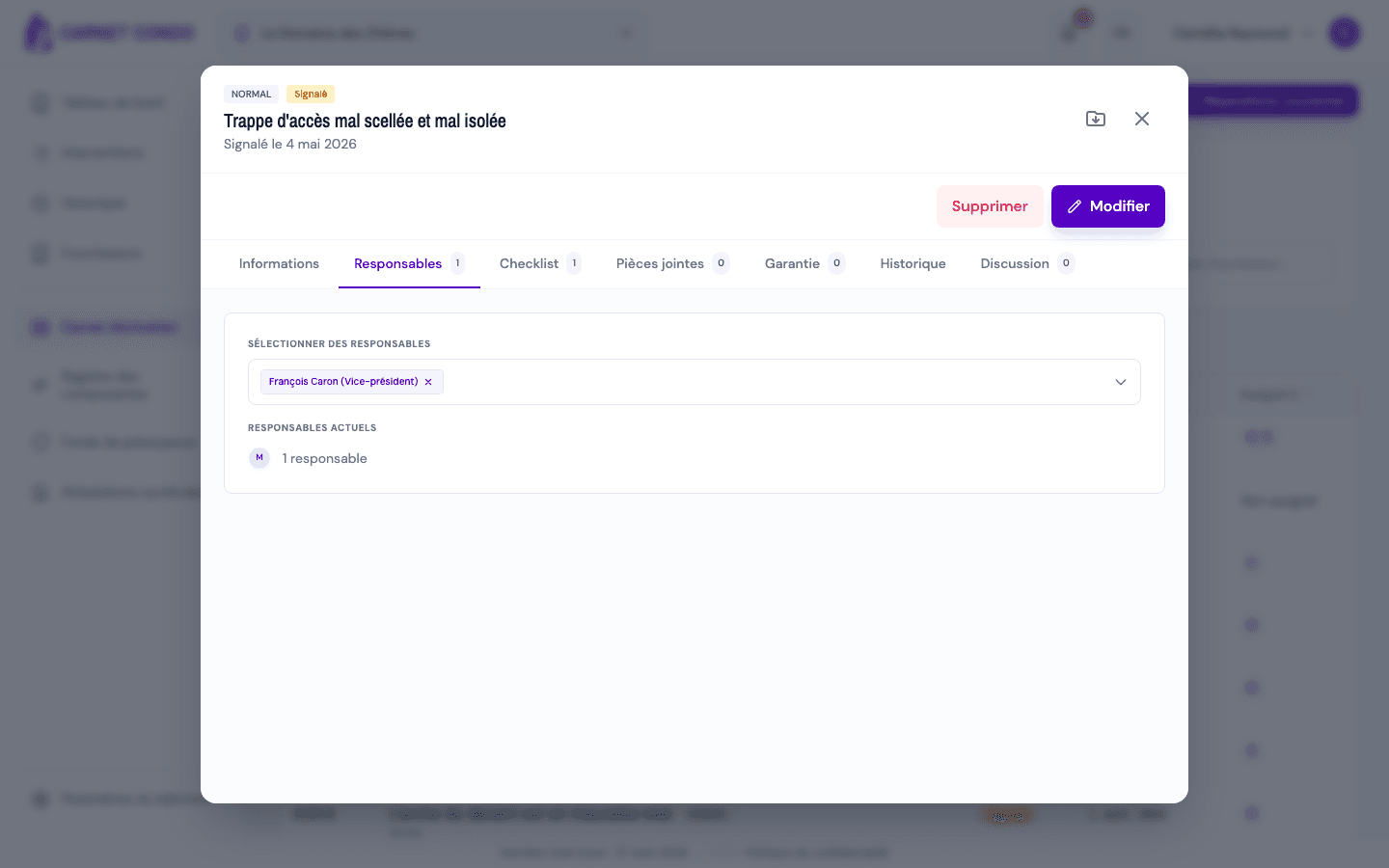
Open the record, "Assignees" tab (the number shows how many assignees there are).
-
Administrator: in "Select assignees", add members or remove them with the ×. No need to switch to edit mode: the change is saved right away.
-
Member: click "Assign me" or "Remove me".
-
The message "Assignees updated." appears; the "Current assignees" list updates.
Who can be assigned?
Any member of the building can be responsible for a routine repair. Once assigned, they find it under "Interventions" and can edit it.
Tips and common mistakes
- Several assignees: a repair can have several people assigned.
- Reminder: on an overdue repair, the administrator can send a reminder to the assignees (the record's "Send reminder" button). Without an assignee, the button is inactive.