
Report an issue (create a routine repair)
Create a standalone routine repair to report a building problem, independently of any scheduled inspection.
- Audience
- Administrator
- Screen
- Maintenance logbook › Routine repairs → "+ Routine repairs"
- Verified version
- App 1.0.0
Goal
Report a building problem (a failing pump, a leak, a breakage) and follow it up, without going through a scheduled inspection. A routine repair is a standalone record with its own life cycle, checklist, attachments and warranties.
Audience
Building administrator. The Maintenance logbook, where routine repairs live, is reserved for administrators.
Prerequisites
- Be an administrator of the building.
Steps
-
In the left menu, open "Maintenance logbook", then the "Routine repairs" sub-tab.
-
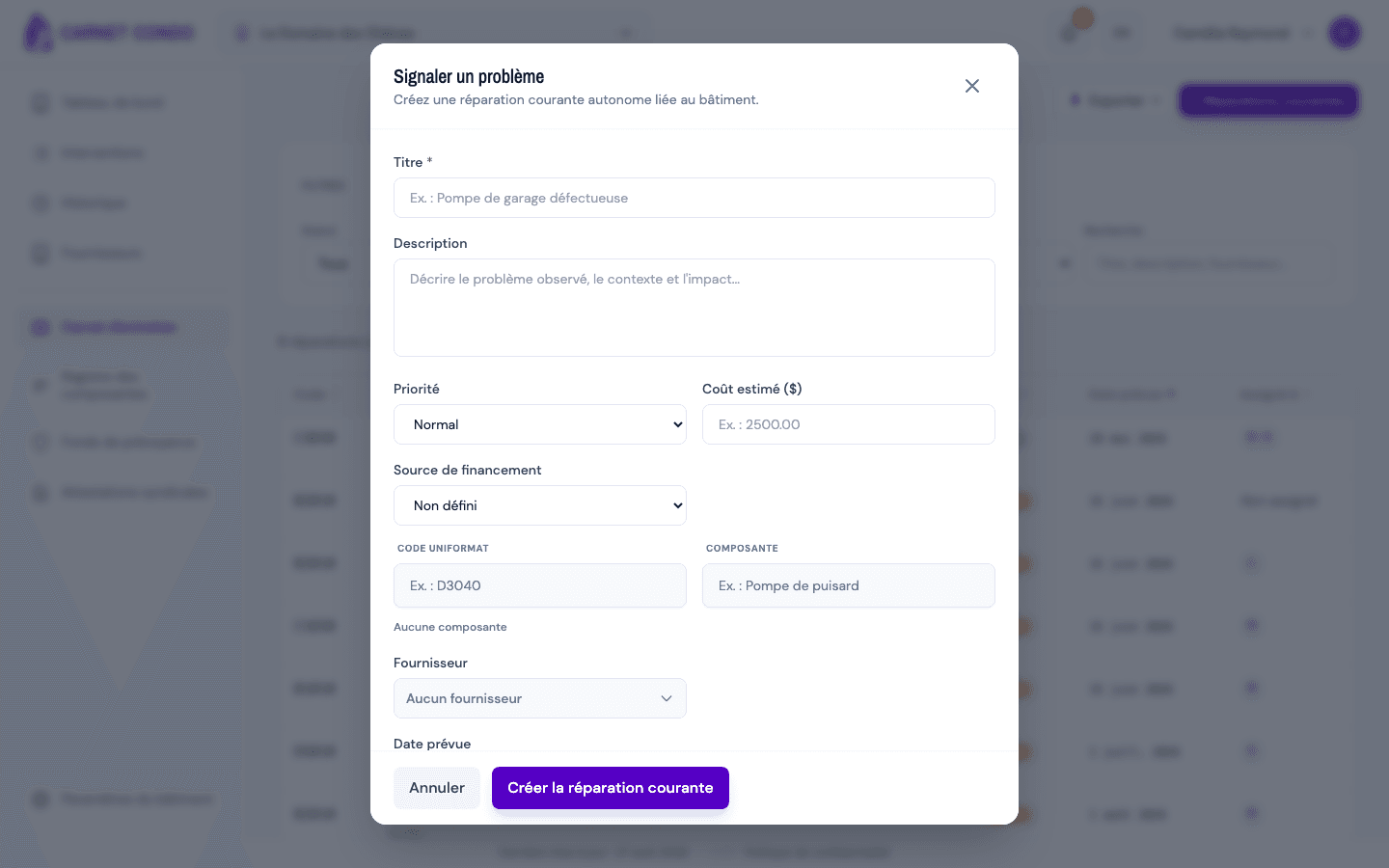
Click "+ Routine repairs" (top right). The "Report an issue" window opens.
-
Fill in the form:
- "Title" (required) and "Description";
- "Priority" (Urgent, Normal or Low; Normal by default) and "Estimated cost ($)";
- "Funding source" (Undefined, Reserve fund, Operating fund, Loan or Mixed);
- "Uniformat code" and "Component": pick a component from the register, or type a code and a name to create a new one;
- "Supplier" and "Planned date".
-
Click "Create routine repair". The message "Routine repair created." appears; the repair shows up in the list with the Reported status.
Routine repair or follow-up?
A routine repair is reported directly, without an inspection. To deal with an anomaly found during a maintenance intervention, create a follow-up instead.
Tips and common mistakes
- Title required: without a title, creation is blocked ("Title is required.").
- New component: both the Uniformat code and the name are required to create it.
- Button inactive: if the building's subscription is read-only, creation is blocked.