
Delete a maintenance task
Delete a maintenance task from its record, with a two-button confirmation and history kept.
- Audience
- Administrator
- Screen
- Maintenance logbook › Maintenance work, task record
- Verified version
- App 1.0.0
Goal
Remove a maintenance task from the log. The deletion is a soft delete: the definition is archived and its history is kept for Loi 16, and only future "To do" interventions are removed.
Audience
Administrator of the building.
Prerequisites
- Be an administrator.
- Have opened the task's record in read mode (not in edit mode).
Steps
-
In the sidebar, click Maintenance logbook, then the Maintenance work sub-tab, then click the row of the task to delete to open its record.
-
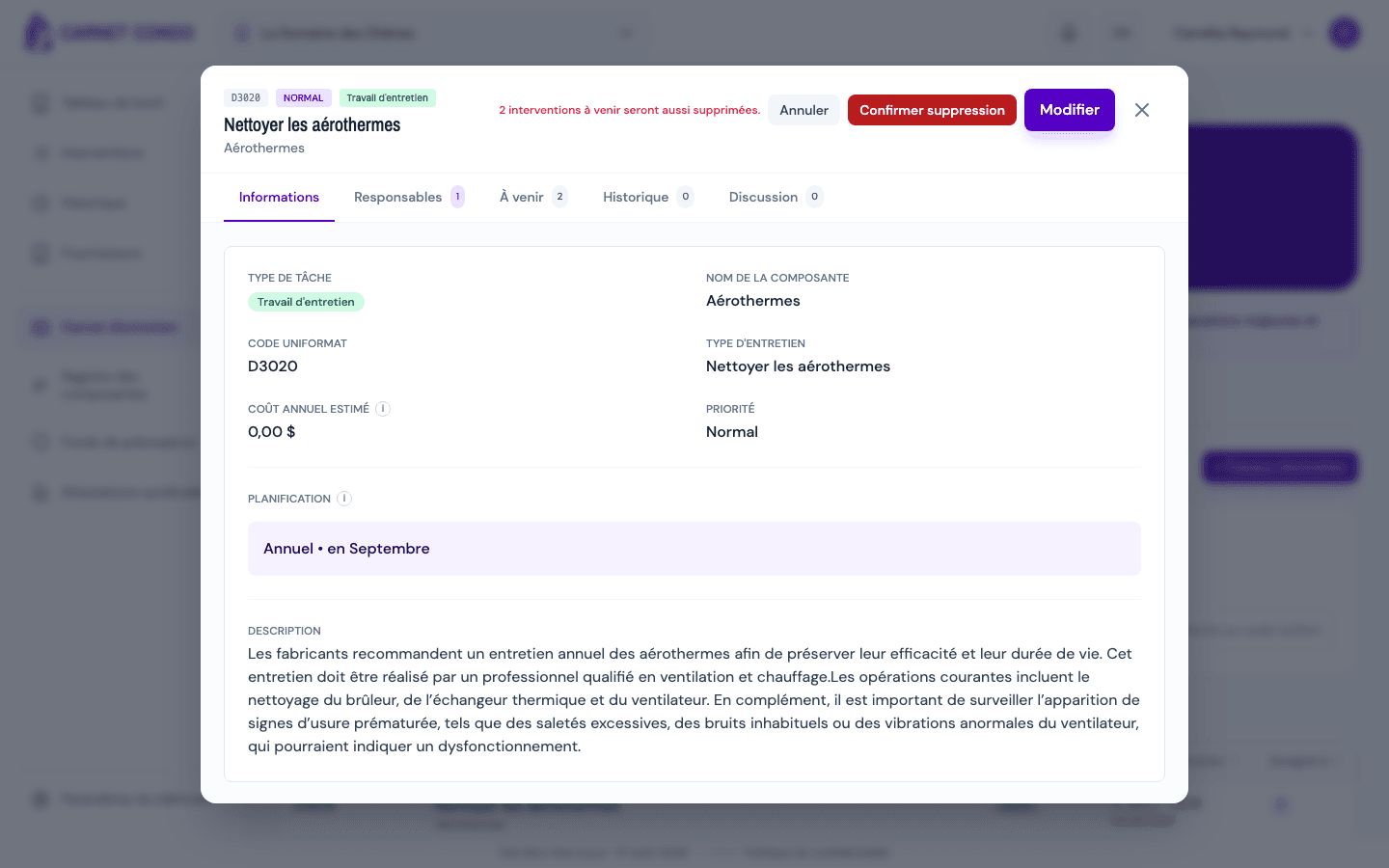
Click "Delete task". The header switches to a confirmation state, with a two-button control. If upcoming interventions remain, their number is shown: "N upcoming interventions will also be deleted."
-
Confirm with "Confirm deletion", or back out with "Cancel".
-
A "Definition deleted successfully" toast appears and the record closes.
Soft delete: history is kept
The task is not erased permanently: this is a soft delete. The future "To do" interventions linked to the task are removed, but the history (past or completed interventions) is kept to meet Loi 16 requirements.
Tips and common errors
- No separate dialog: the confirmation happens directly through the two-button control in the record header.
- Cascade on upcoming interventions: every future "To do" intervention is removed regardless of its content; make sure you are deleting the right task.
- Back out: click "Cancel" before confirming to keep the task.