
Create a maintenance task (official or routine)
Add a new maintenance task from the Maintenance work page, either a Maintenance work task or a Routine task, with a Uniformat code, priority and recurrence.
- Audience
- Administrator
- Screen
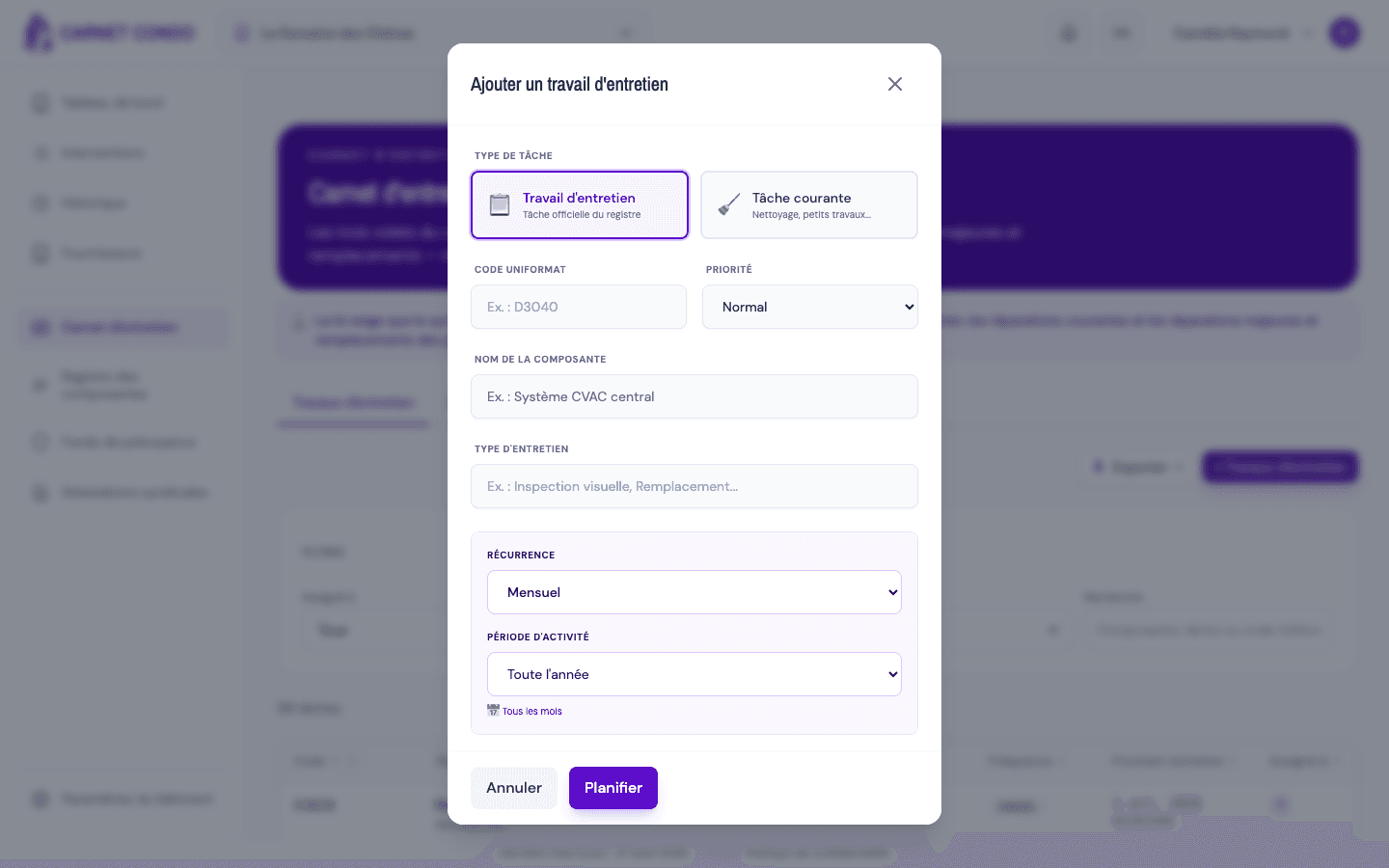
- Maintenance logbook › Maintenance work, "Add a maintenance task" window
- Verified version
- App 1.0.0
Goal
Create a new maintenance task (also called a "definition") in the building's maintenance log. A task describes a component to maintain, its priority and its recurrence; when it is created, the app can automatically generate the upcoming interventions.
Audience
Administrator of the building.
Prerequisites
- Be an administrator of the building (the building must not be read-only).
- Be on the Maintenance work sub-tab of the Maintenance logbook page (sidebar).
- Know the Uniformat code and the component name involved.
Steps
-
In the sidebar, click Maintenance logbook, then the Maintenance work sub-tab. Click "+ Maintenance work" (or "Create my first task" if the logbook is empty). The "Add a maintenance task" window opens.
-
Choose the task type using the two buttons:
- 📋 Maintenance work: official register task (Loi 16).
- 🧹 Routine task: cleaning or minor work.
-
Enter the Uniformat code (required, for example
D3040). -
Enter the Component name (required). The field autocompletes from components that already exist; the component is matched or created from the Uniformat code and the name.
-
Choose the Priority: Urgent, Important, Normal or Low (Normal by default). See Set a task's priority.
-
Enter the Maintenance type (required, for example "Visual inspection").
-
In the Recurrence section (indigo panel), choose the recurrence; conditional fields appear depending on your choice. See Set recurrence, active period and execution month.
-
Optionally, fill in the Description / Procedure, the Estimated annual cost (0 by default) and the Default assignment (assignees). See Define default assignees.
-
Click "Schedule". The app validates the fields, creates the task and generates the interventions.
Interventions are generated automatically
On creation, if the recurrence is anything other than "On demand", the app automatically generates the upcoming interventions based on the chosen recurrence. Each intervention inherits the assignee set in the Default assignment. With "On demand", no intervention is created.
Tips and common errors
- Required fields: the Uniformat code, the component name, the maintenance type, the recurrence and the task type are mandatory; a missing field blocks creation.
- Reused component: if the Uniformat code + component name pair already exists, the app reuses the existing component instead of creating a new one.
- Generic error: if an error message appears in a toast, check the required fields and try again.