
Find members' contact details
The Members page has been removed: where to find the board of directors and the member list now.
- Audience
- Everyone
- Screen
- Dashboard, Board of directors card
- Verified version
- App 1.0.0
Goal
Know where to reach the board of directors and, for administrators, where to see the full member list.
Audience
All members of the building (not only administrators).
Prerequisites
- Be a member of the building.
What changed
The old Members page in the sidebar, which showed every member's contact details to everyone, no longer exists. To protect privacy, contact details are no longer shared among all co-owners.
Steps
For all members: reach the board of directors
- Open the building's Dashboard.
- Find the "Board of directors" card: it lists the syndicate's administrators, your point of contact.
- Click Contact next to a name to write to them from your email app.
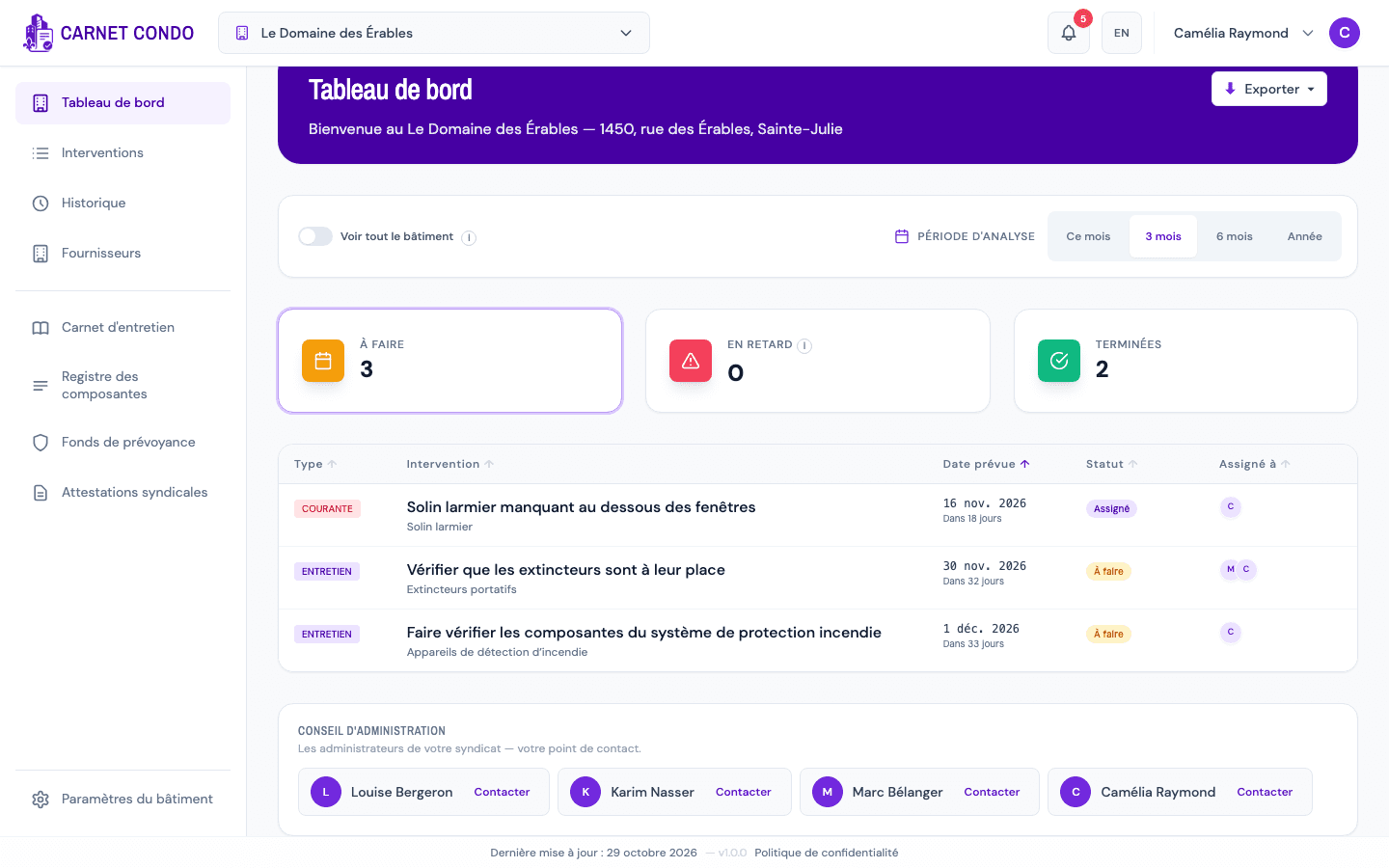
For administrators: see the whole team
- Open Building settings in the sidebar, then the Members sub-tab.
- Each member appears there as a card: name, role, the "Administrator" badge when applicable, phone (or "Not provided"), and the Email and Call links ("Unavailable" if there's no phone).
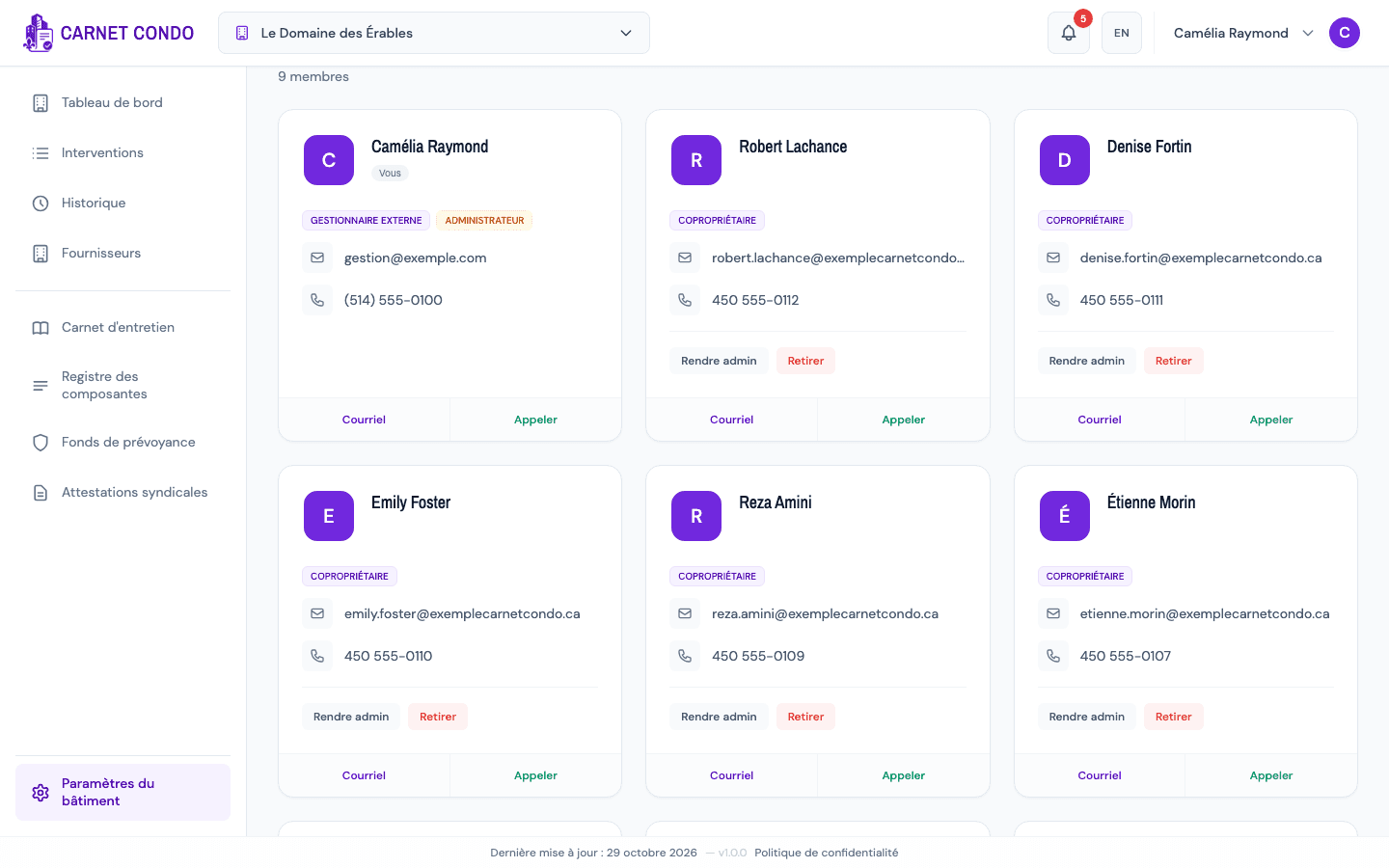
Tips and common errors
- An old link to the Members page takes an administrator to the Members sub-tab, and other members to the dashboard.
- Board of directors card missing: it only appears if the building has at least one administrator.
See also
Reactivate a former member
Bring a former member back into the building's active team from the "Former members" section.
Create a maintenance task (official or routine)
Add a new maintenance task from the Maintenance work page, either a Maintenance work task or a Routine task, with a Uniformat code, priority and recurrence.