
Request the data-entry service ($200)
Have the CARNET CONDO team transcribe your Law 16 documents into the app: where to find the request, what is sent, and what happens next.
- Audience
- Administrator
- Screen
- User menu, or dashboard checklist › "Data-entry service ($200)"
- Verified version
- App 1.0.0
Goal
You already have Law 16 documents prepared by professionals (inspections, maintenance schedule, component inventory, fund data), but no time to enter everything? For $200, the CARNET CONDO team transcribes these documents into the app for you.
Audience
Building administrator. Non-administrator members do not see this option.
Prerequisites
- The right building is selected in the header: the request is for the active building (see Switch the active building).
- Your professional Law 16 documents are ready to be sent.
Steps
-
Open the request from either entry point:
-
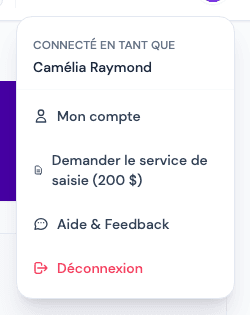
the user menu (your name, top right) › "Request the data-entry service ($200)";
-
or, on the Dashboard, the "Request the service" link below the startup checklist ("No time to enter everything? Our assisted data-entry service ($200) does it from your documents.").
-
-
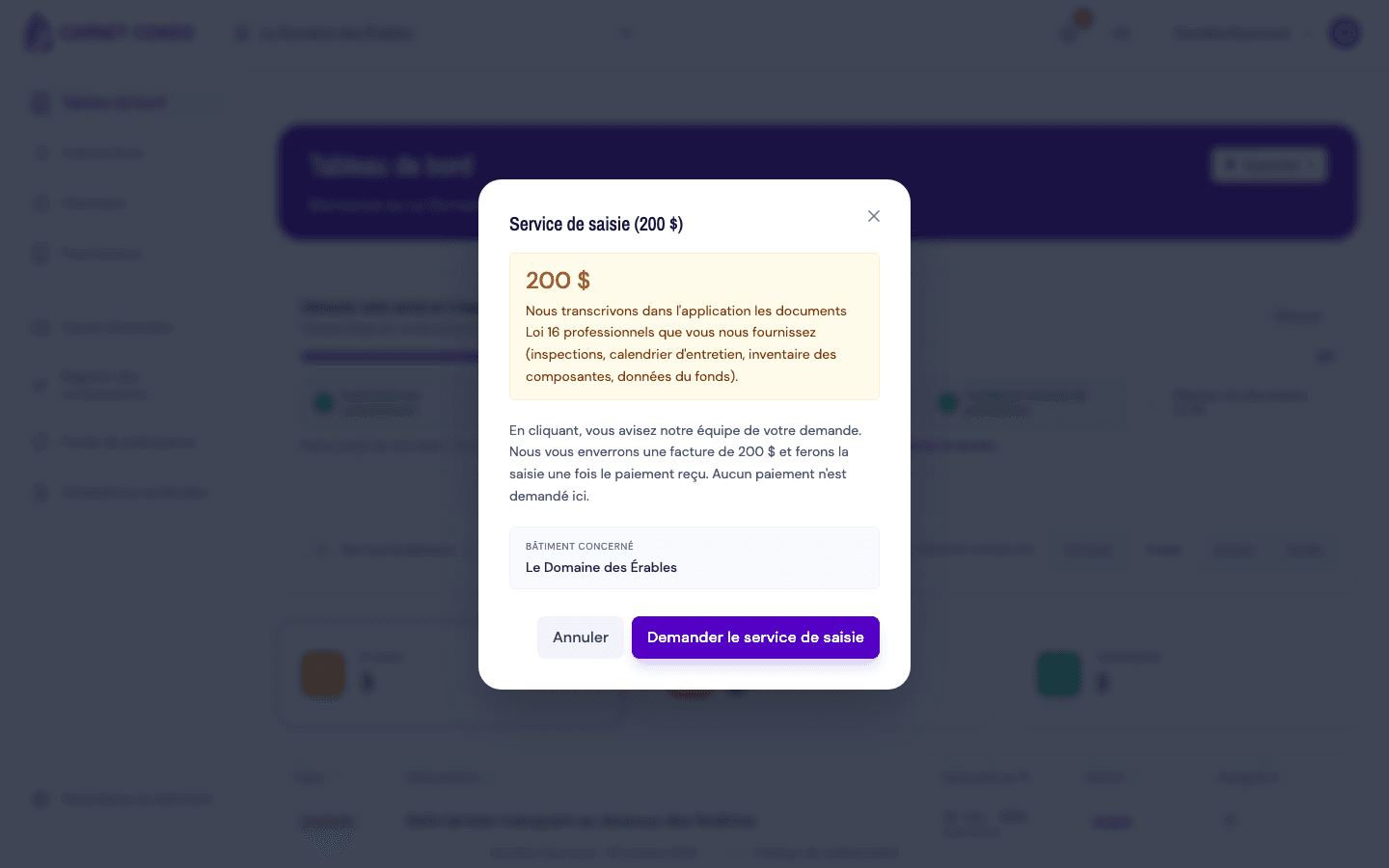
The "Data-entry service ($200)" window opens. It shows:
- the price: $200;
- what is entered: the professional Law 16 documents you provide (inspections, maintenance schedule, component inventory, fund data);
- how it works: "By clicking, you notify our team of your request. We will send you a $200 invoice and do the data entry once payment is received. No payment is required here.";
- the "Building concerned": the name of the active building.
-
Check the building concerned, then click "Request the data-entry service". The button shows "Sending..." while the request is sent. To back out, click "Cancel": nothing is sent.
-
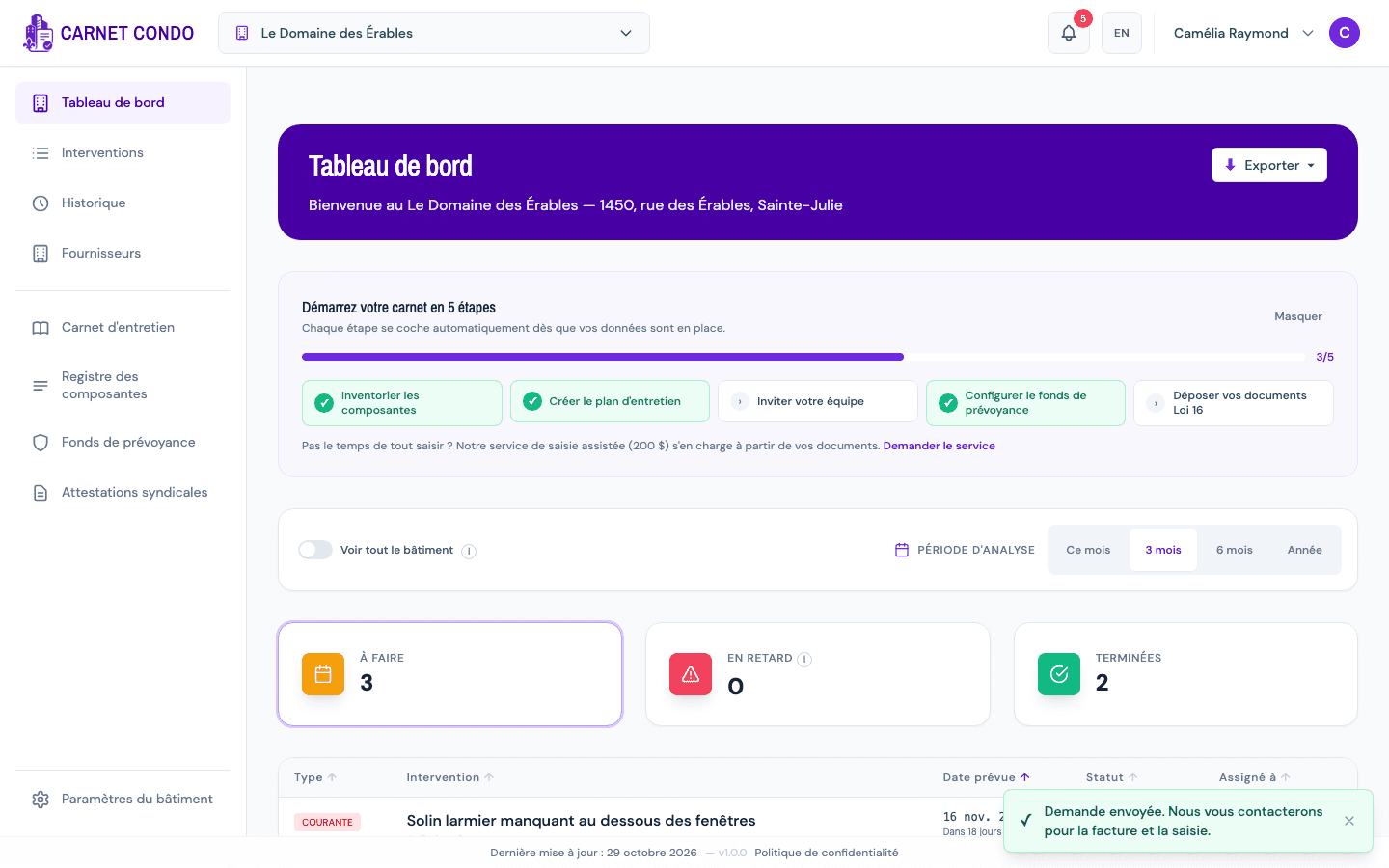
The message "Request sent. We will contact you for the invoice and the data entry." confirms it, and the window closes.
-
The team contacts you about the invoice and how to send your documents. The data entry is done once payment is received.
If you open the request again
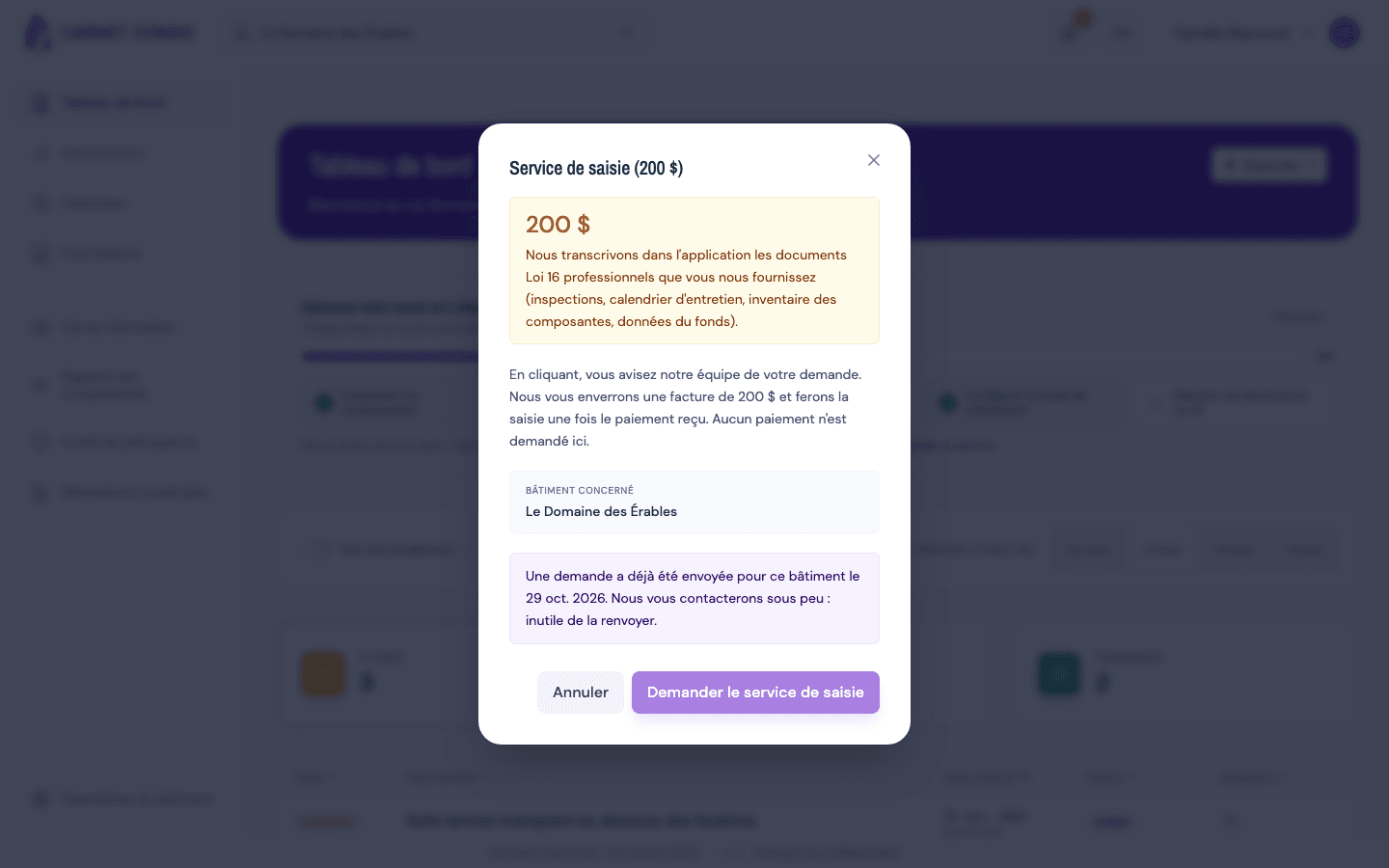
If you open the window again for the same building, from the same browser, it shows: "A request was already sent for this building on (date). We will contact you shortly: no need to send it again." The "Request the data-entry service" button is then greyed out.
What is sent with your request
The request goes by email to the CARNET CONDO team with: the name of the building concerned, your email address and your role in that building, the page you made it from and your browser. The team replies to your email address. Your documents themselves are not sent at this point: the team will tell you how to send them.
Tips and common errors
- Send failed: the message "Sending failed. Email us directly at (email address)." appears. Try again, or write to that address.
- Several buildings: make one request per building, switching the active building between requests.
- No double send: the buttons are disabled while "Sending..." is shown, then the request is remembered for this building (see "If you open the request again"). This is stored in your browser only: from another device or browser, the window does not know a request was already sent.
- Option not found: only an administrator sees the menu entry and the checklist link. The checklist link also disappears once the checklist is complete or hidden; use the user menu instead.