
Building & team
Create a building (4-step wizard)
Register a new building in the Carnet d'Entretien Électronique using the four-step wizard.
- Audience
- Administrator
- Screen
- "New building" wizard (4 steps)
- Verified version
- App 1.0.0
Goal
Register a new building and start its subscription. The creator automatically becomes an administrator of the building.
Audience
Administrator (the person who creates the building becomes its first administrator).
Prerequisites
- Preferably a computer (wide screen). On a phone or tablet, see the Tips: the behaviour depends on where you start the creation from.
- A building address located in Quebec (the service is offered in Quebec only).
- A credit card to start the subscription (the first 3 months are free).
Steps
- Open the wizard: from the building selector in the header (the "Create a building" entry at the bottom of the "My buildings" list), or from the home screen if you don't have a building yet. The wizard header shows "New building" and "Step 1 of 4".
- Step 1 (Basic information): fill in the Building name, the Address (Google Maps search), the Postal code (
A1A 1A1format), then, if needed, the Cadastre (lot numbers), the Year built, the number of Floors and Units, and the Reserve fund panel ("Current fund balance" + "Reference date"). The Next button stays disabled until the name, the address and a valid postal code are filled in.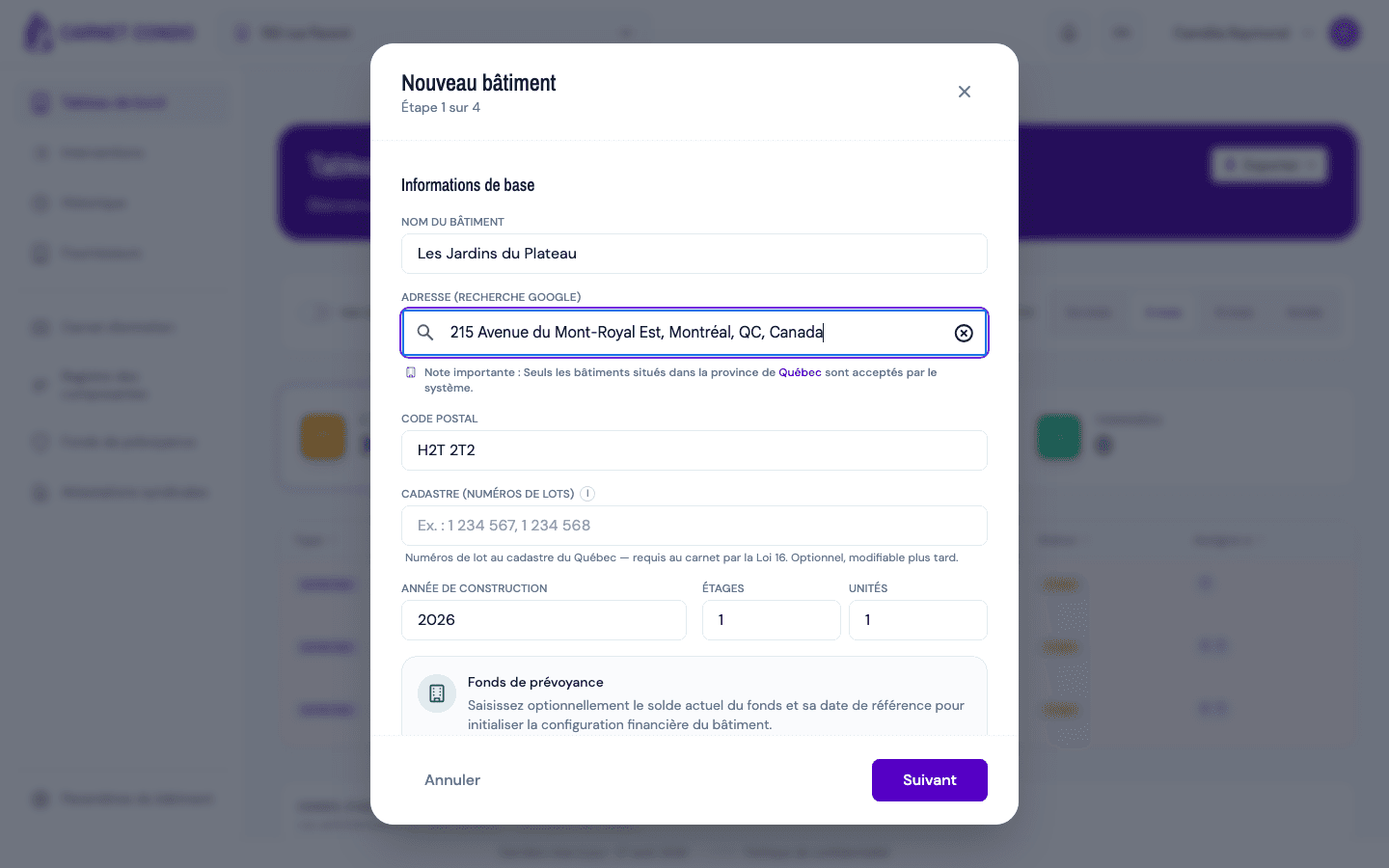
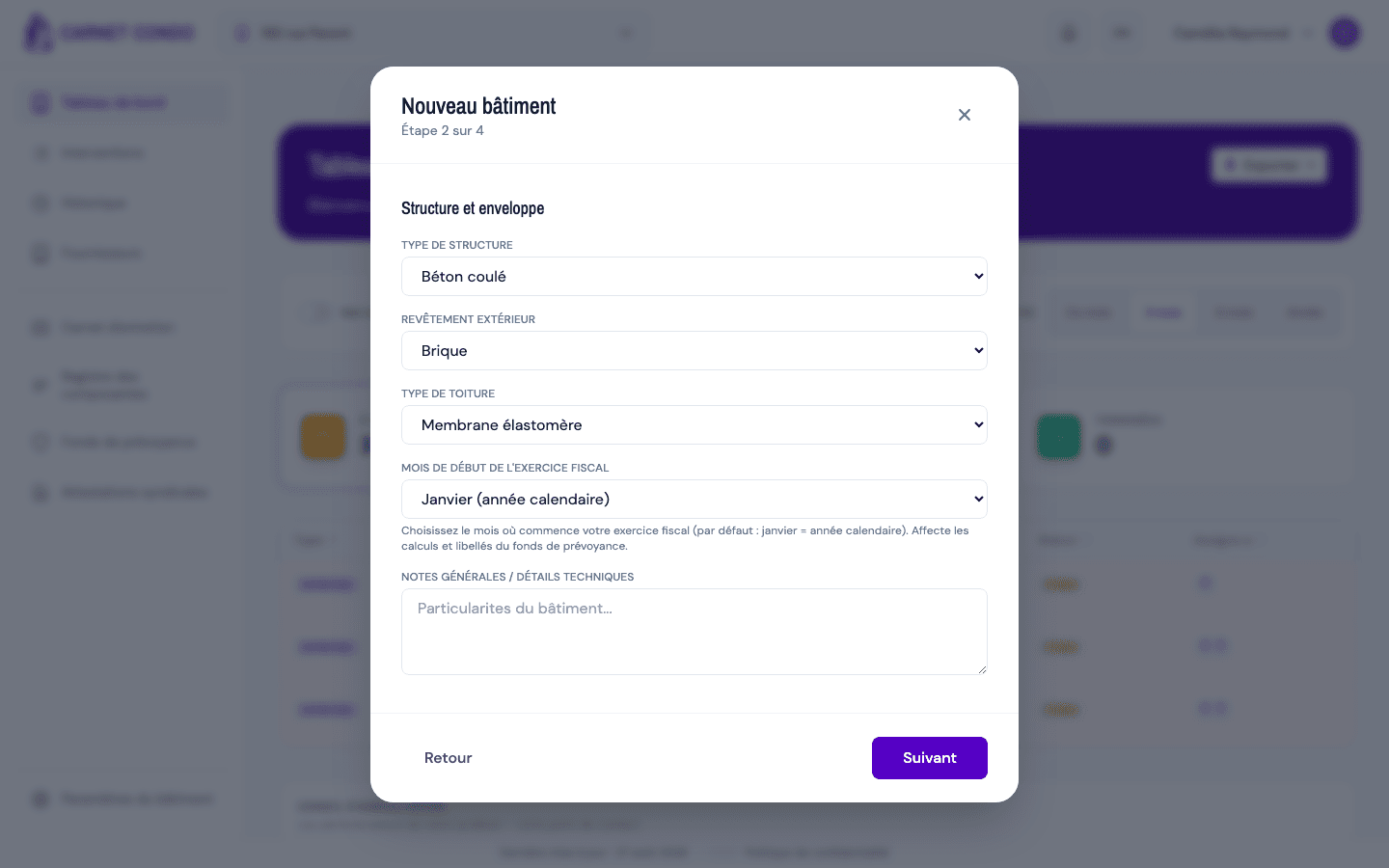
- Step 2 (Structure and envelope): choose the Structure type, the Exterior cladding and the Roof type, then the Fiscal year start month and, if needed, some General notes.
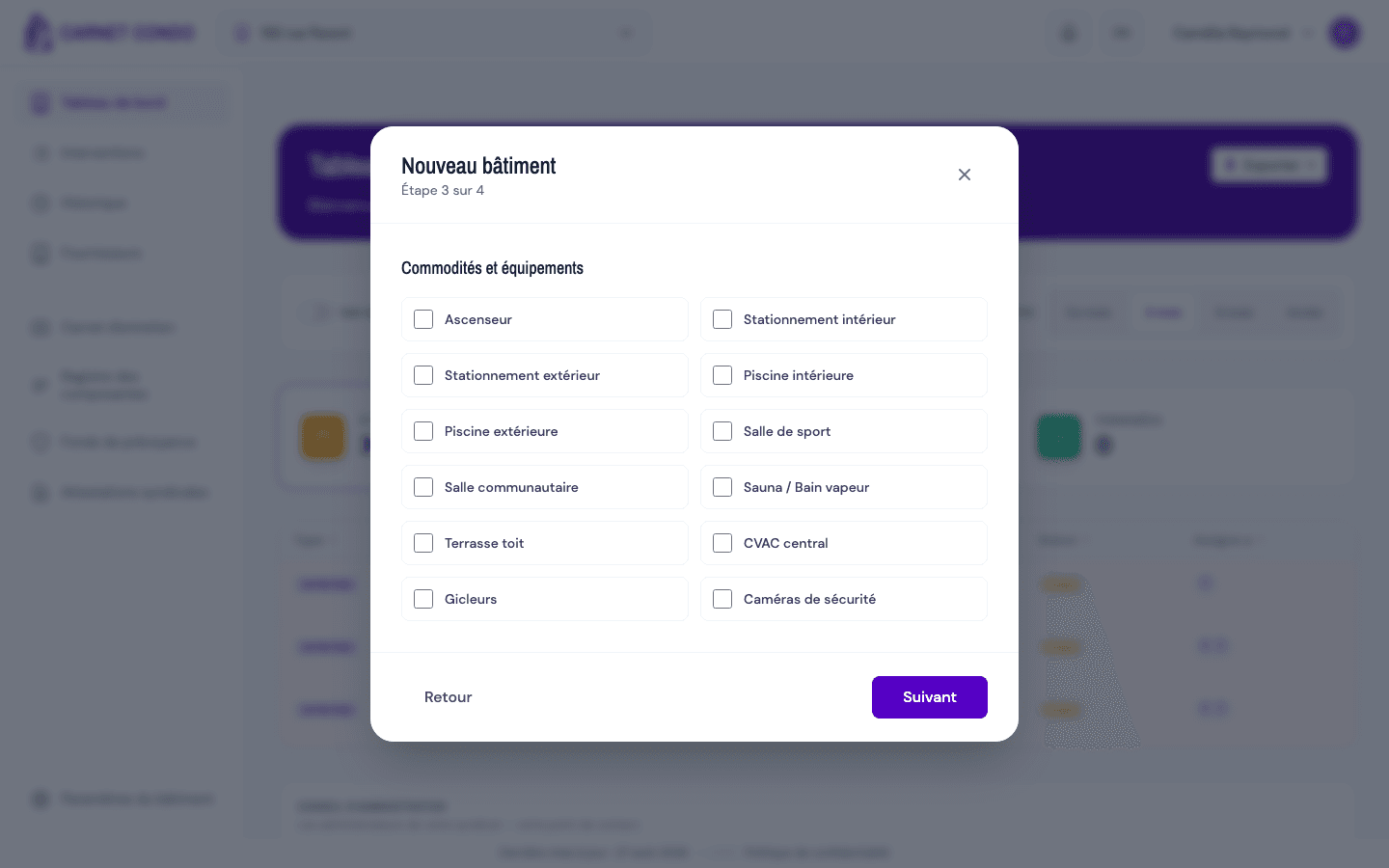
- Step 3 (Amenities and equipment): check what the building has (elevator, indoor and outdoor parking, indoor and outdoor pools, gym, community room, sauna, rooftop terrace, central HVAC, sprinklers, cameras).
- Step 4 (Final step): as the creator, you'll have administrator access. Choose Your role on the board, review the Annual subscription summary (subtotal, GST, QST, total, 3 months free and first billing date; minimum price of $250/year), then enter your card in the Payment section (secure payment by Square).
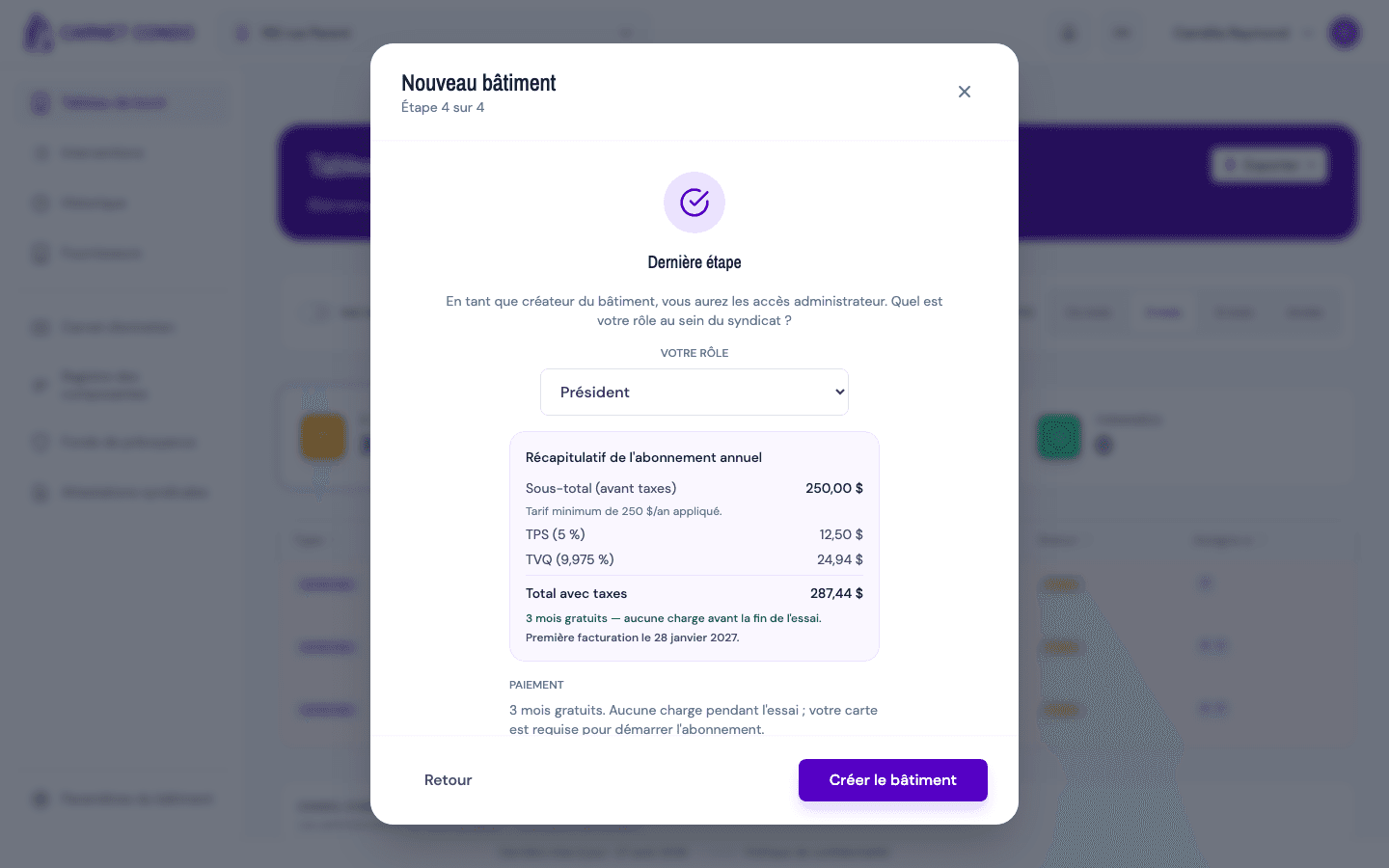
- Click Create building. Your card is validated, the subscription starts (3-month trial) and the building becomes your selected building. The dashboard then shows the 5-step startup checklist to help you fill it.
The building is created after payment is confirmed
The building is only saved once the subscription is confirmed. If payment fails or you abandon the wizard, no ghost building is created.
Tips and common errors
- On a phone or tablet (screen narrower than 1024 px):
- first building, from the "Welcome to CARNET CONDO" home screen: the "Create my first building" button first shows "Continue on mobile?". Choose "Continue here" to start the wizard right away, or "Later, on a computer";
- additional building, from the header ("My buildings › Create a building" menu): a "Desktop-only feature" window appears ("Creating a new building is only available on a computer."); click "Understood" and come back from a computer.
- Quebec only: an address outside Quebec is rejected and the Next button stays blocked.
- Invalid postal code: use the Canadian
A1A 1A1format. - Cadastre: optional when you create the building, but Loi 16 requires it in the logbook. You can add it later in the building settings.
- Reserve fund: the balance must be a positive number; a "Reference date" requires a balance to be filled in.
- Payment unavailable: if a panel at step 4 says billing isn't available, creation is blocked. Try again later.
- Card not ready: wait a few seconds for the card form to finish loading before clicking Create building.