
Work orders (occurrences)
Manually schedule an intervention
Manually add an intervention to a logbook task, upcoming or already done (past date up to 5 years).
- Audience
- Administrator
- Screen
- Maintenance task record, Upcoming tab
- Verified version
- App 1.0.0
Goal
Manually add an intervention to a maintenance task, in addition to those generated automatically by the recurrence. Useful to schedule a one-off future intervention or to record an intervention that has already been done.
Audience
Administrator of the building.
Prerequisites
- Be an administrator (the building must not be read-only).
- Have opened the relevant maintenance task record (Maintenance logbook › Maintenance work, click its row).
Steps
- In the task's record, open the Upcoming tab ("Scheduled interventions" section).
- Click "Add an intervention". An Intervention date field appears.
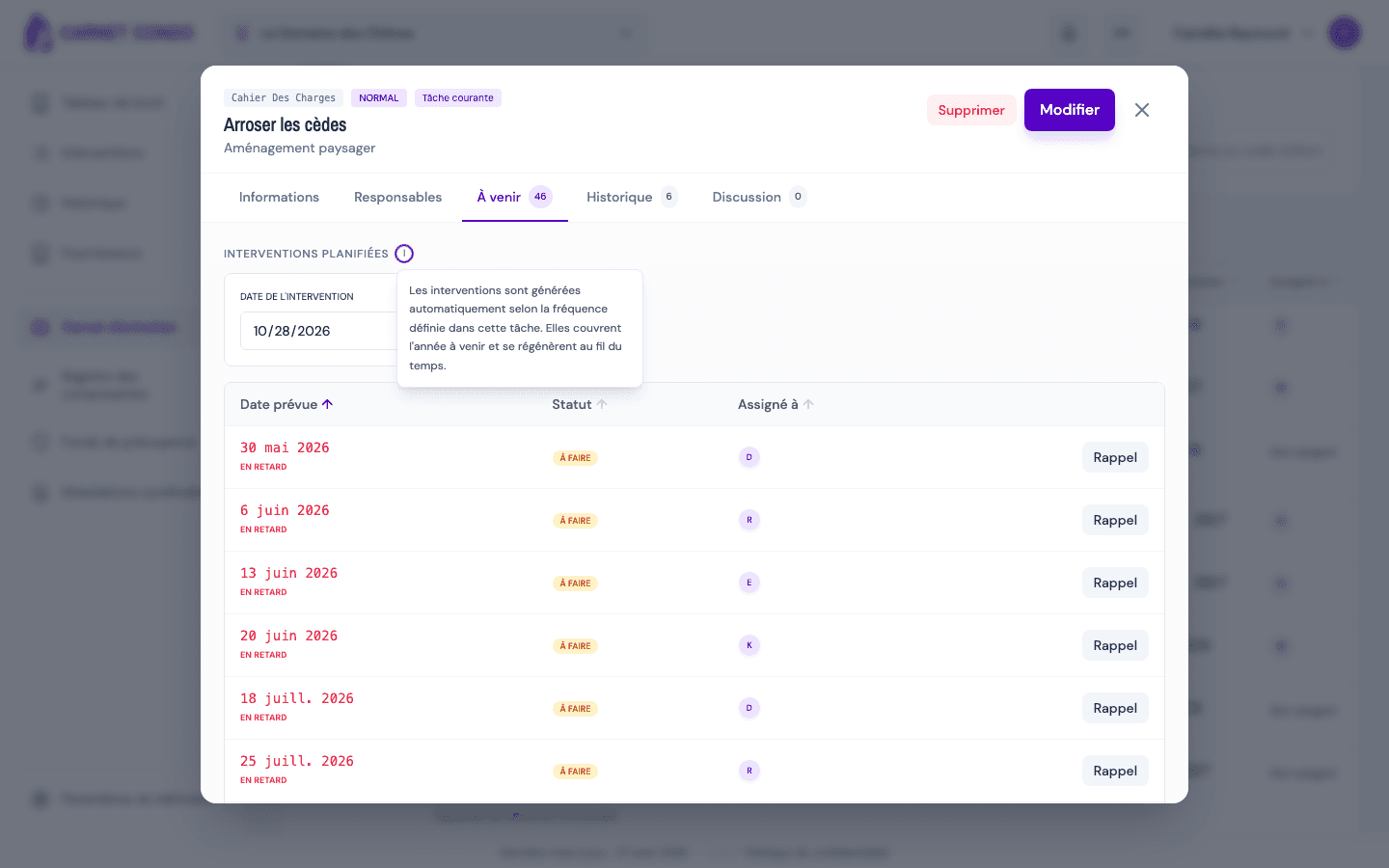
- Enter the date: an upcoming date to schedule, or a past date (up to 5 years back) to record an intervention that's already done.
- Confirm with "Add an intervention". The message "Event created successfully" appears and the record goes back to the Upcoming tab, where the new intervention is listed.
The new intervention is added to the list, on top of the task's regular schedule, and inherits the task's default assignee.
A single date rule
Any date is accepted from 5 years ago into the future. A date more than 5 years in the past is refused.
Tips and common errors
- "The date cannot be more than 5 years in the past.": choose a more recent date.
- "Invalid date.": check the date format.
- Administrators only: the button doesn't appear for other members, or if the building is read-only.
- "On demand" task: this is the normal way to create its interventions, since none are generated automatically.