
Export my personal data
Download a copy of your personal information from the My account window.
- Audience
- Everyone
- Screen
- "My account" window, My personal data section
- Verified version
- App 1.0.0
Goal
Get a copy of the personal information the application keeps about you.
Audience
All signed-in users.
Prerequisites
- Be signed in.
Steps
-
Open the user menu (top right), then click My account.
-
Scroll down to the My personal data section.
-
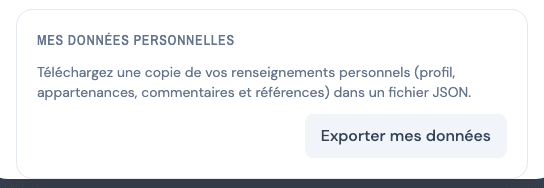
Click Export my data.
-
A file is downloaded to your device and a message confirms that your data has been exported.
What the file contains
Your profile, your building memberships, your comments and the references to your name. The file is in JSON format: a structured text format readable by other software, intended for exercising your right of access to your personal information.
This is not the building backup
This export only contains your personal information. For a copy of the logbook data (components, works, documents), use the building's Backup instead.
Tips and common errors
- "Could not export your data.": try again in a few moments.
See also
Read the privacy policy and the trackers notice
Find the application's privacy policy, know what it contains (information collected, purposes, retention, rights, transfers outside Quebec, officer) and understand the trackers banner.
Delete my account
Permanently delete your account from the My account window, and what happens to your data.