
Read the privacy policy and the trackers notice
Find the application's privacy policy, know what it contains (information collected, purposes, retention, rights, transfers outside Quebec, officer) and understand the trackers banner.
- Audience
- Everyone
- Screen
- Footer › Privacy policy; banner at the bottom of the screen
- Verified version
- App 1.0.0
Goal
Know which personal information the application collects, why, how long it keeps it, where it is processed and whom to contact to exercise your rights (Law 25).
Audience
Everyone, even when not signed in.
Prerequisites
- None.
Steps
Open the privacy policy
-
Open the policy in one of these three ways:
- in the application, at the bottom of every page, click "Privacy policy" in the "Last update: (date) — v1.0.0" bar;
- on the sign-in screen, click the same link at the bottom of the page;
- on the consent screen, click "Read the privacy policy".
-
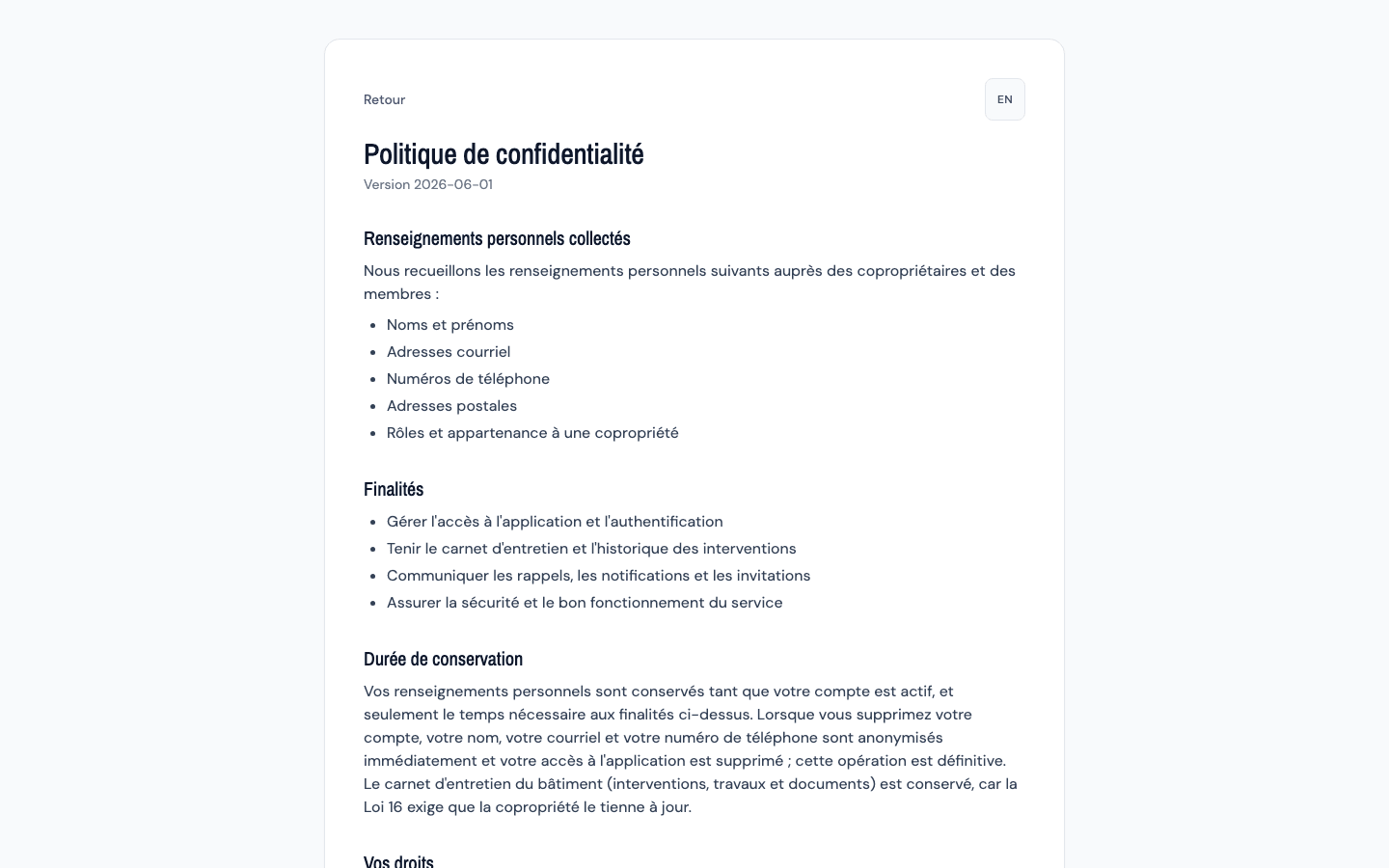
The "Privacy policy" page opens, with its version below the title (for example "Version 2026-06-01"): this is the version your consent is tied to. The "EN" button, top right, shows the policy in English ("FR" to switch back to French).
-
Go through the sections:
| Section | What you find there |
|---|---|
| Personal information collected | First and last names, email addresses, phone numbers, postal addresses, roles and building memberships |
| Purposes | Manage access and authentication, maintain the maintenance logbook and history, send reminders, notifications and invitations, ensure the security of the service |
| Retention period | While the account is active. When the account is deleted, your name, email and phone number are anonymized immediately and access is removed, permanently; the building's maintenance logbook is kept (Loi 16) |
| Your rights | Access, rectification, portability (JSON format), erasure, withdrawal of consent |
| Transfers outside Quebec | The database is hosted in Quebec (OVH, Beauharnois); Sentry (European Union), Vercel (United States) and Gmail (email delivery) may process data outside Quebec |
| Personal information protection officer | The name and contact of the person to write to in order to exercise your rights |
- Click "Back" at the top to return to the application.
Understand the trackers notice
-
On your first visit from a browser, a banner appears at the bottom of the screen: "We use a third-party error-tracking tool (Sentry) to keep the application reliable. Some technical data may be transferred outside Quebec (European Union). See the privacy policy for details."

-
Click "Got it". The banner disappears and does not come back on this browser.
A notice, not a choice
The banner informs you: there is nothing to accept or decline. Sentry is used to detect and fix errors in the application; according to the policy, personal information is scrubbed from error contexts before they are sent.
Tips and common errors
- Exercise your rights yourself: portability is done from Export my personal data, rectification from Edit your name and phone number, erasure from Delete my account. For the rest, write to the officer named in the policy.
- The banner comes back: you are using another browser or device, or the site data was cleared. Click Got it again.
- The banner hides a button at the bottom of the screen: click Got it to make it disappear.