
Account & getting started
Sign up with an email and a password
Create a new Carnet Condo account using your email address.
- Audience
- Visitor
- Screen
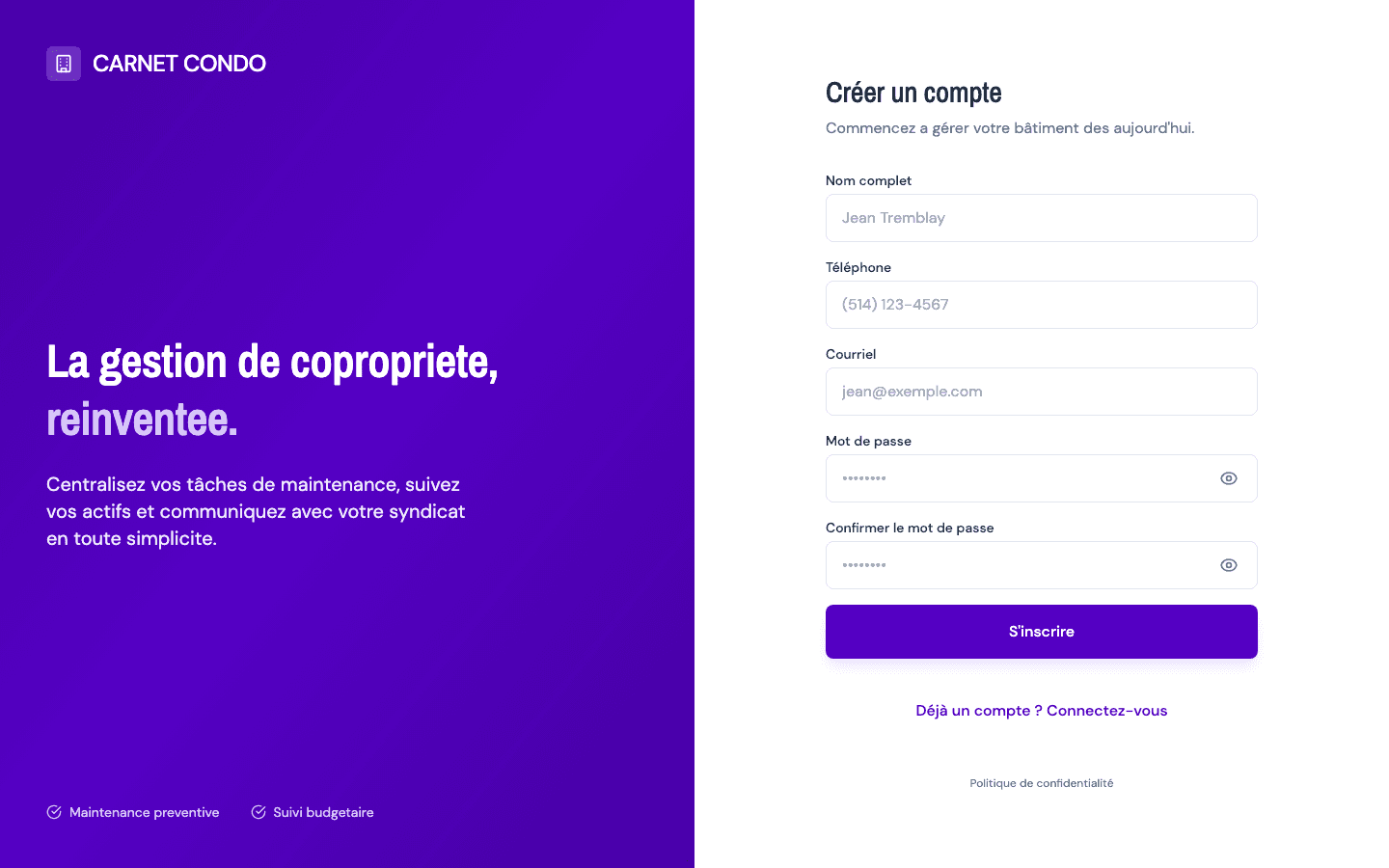
- Sign-in page, "Create an account" view
- Verified version
- App 1.0.0
Goal
Create your personal account so you can access the application.
Audience
Visitor (someone who doesn't have an account yet).
Prerequisites
- A valid email address you can access (you'll need to confirm your sign-up by email).
Steps
- Open the application's sign-in page. The Sign in view is shown by default.
- At the bottom of the form, click "No account yet? Create a profile". The heading changes to "Create an account" and two extra fields appear: Full name (required) and Phone (optional).
- Fill in Full name, Email, Password, then Confirm password (this last field only appears during sign-up). Phone is optional.
- Click Sign up.
- A "Check your email" window confirms the email was sent, reminds you of the address you entered and invites you to also check your spam folder. Click the button to return to sign-in.
Your account isn't active yet
Sign-up is only complete after you confirm by email. Open the email you received and click the link: your profile will be created the first time you sign in.
Tips and common errors
- Passwords don't match: the Confirm password field turns red even before you submit. Fix it to continue.
- Password too short: it must contain at least 6 characters.
- Invalid email format: double-check the address you entered.
- "An account already exists with this email address": a panel appears with two shortcuts, Sign in or Reset a forgotten password. No need to sign up again.
- Too many attempts: wait before trying again (security limit).
- Slow connection: after 10 seconds without a response, the button reactivates and a message invites you to try again.